page | 38
Creating a Sample Presentation
Adding the Content
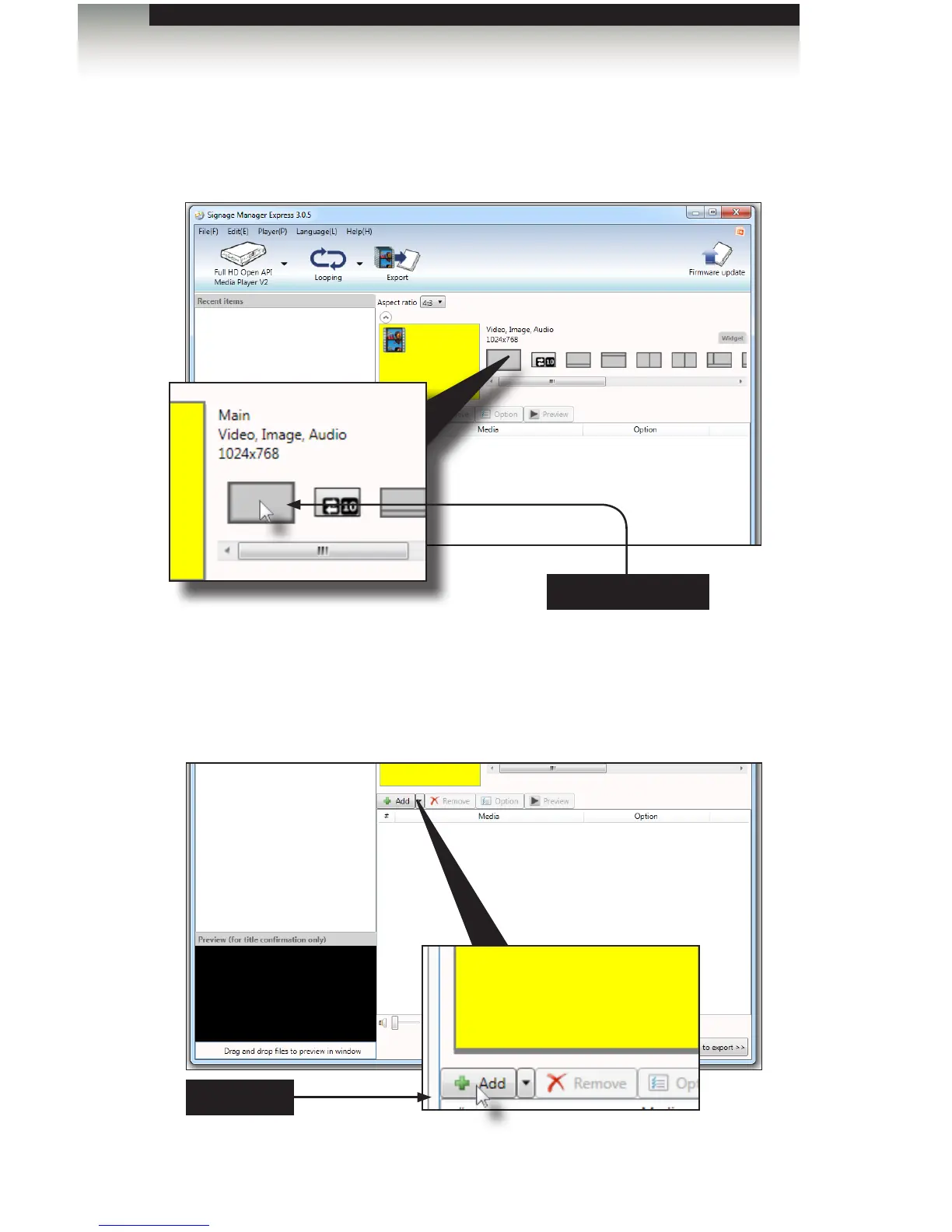
1. From the list of layouts to the right, click on the Full Screen layout to the far left.
The selected layout is a 4:3 full-screen layout. Video (with audio) or images can
be placed in this area.
2. Click the Add button. Clicking the Add button allows you to add media les to the
Digital Signage presentation.
Full Screen layout
Add button
Signage Manager Express Software



 To Next Page