page | 20
Changing the Proxy Type
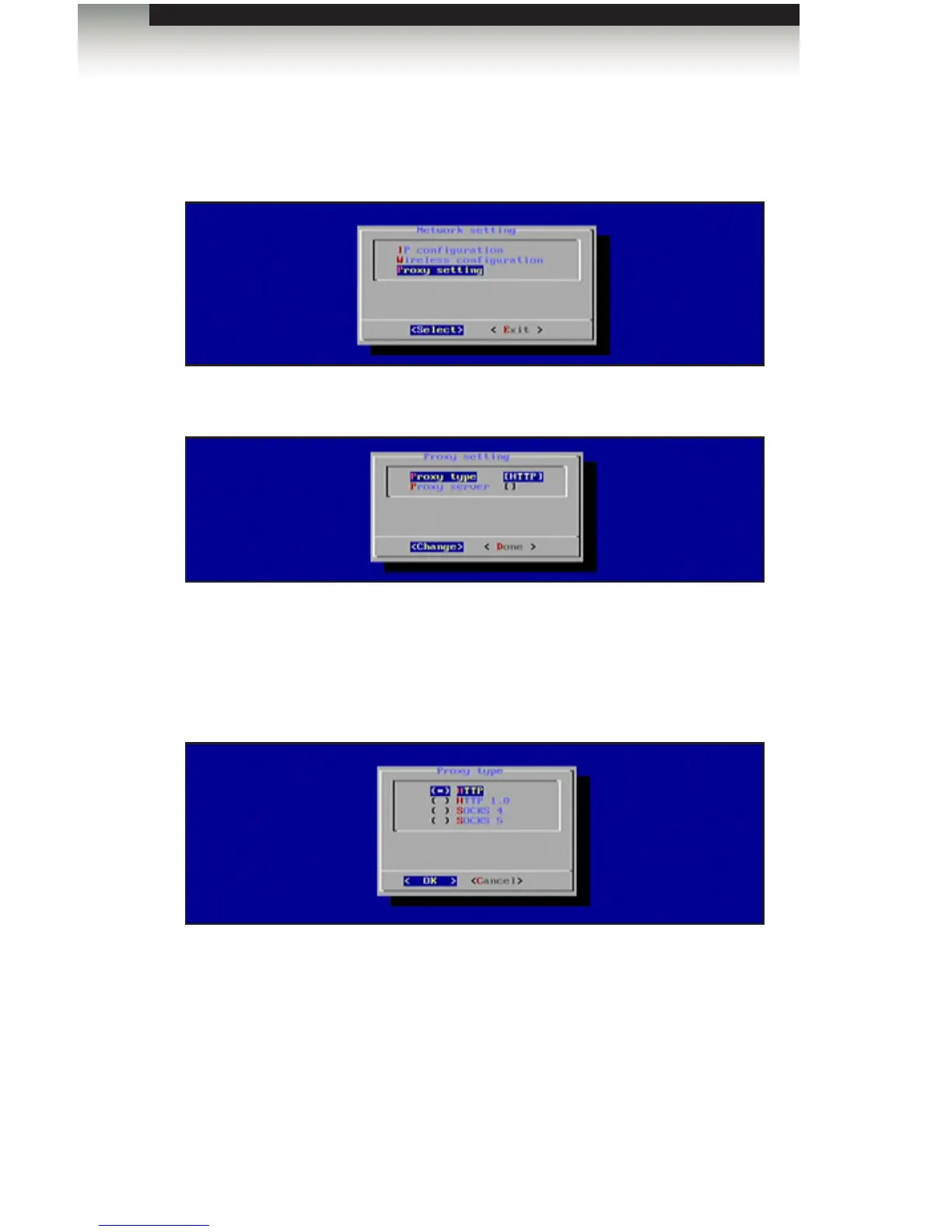
1. To congure the proxy settings, select Network Setting from the Main Menu.
2. HIghlight Proxy Setting and press the Enter key.
The Proxy Setting dialog provides the following options:
• Proxy Type
• Proxy Server
3. Highlight Proxy Type, then press the Enter key.
The Digital Signage Player supports the following proxy options:
• HTTP
• HTTP 1.0
• SOCKS 4
• SOCKS 5
4. Select the desired Proxy Type using the arrow keys and the Spacebar. Press the
Enter key to save the changes.
5. Select Done from the Main Menu to save the changes.
Conguring the Digital Signage Player
Operating the Digital Signage Player with Wi-Fi Plus



 To Next Page