page | 65
Signage Manager Express Software
Using Weekly Schedules
Up to now, we have created a simple project that will loop continuously. However, the
Signage Manager Express software also allows you to dene a schedule which will play
the content every week. The included weekly schedule templates can be modied or you
can create your own weekly schedule from scratch. Let’s look at an example.
1. Select File > New(N) to clear the current project.
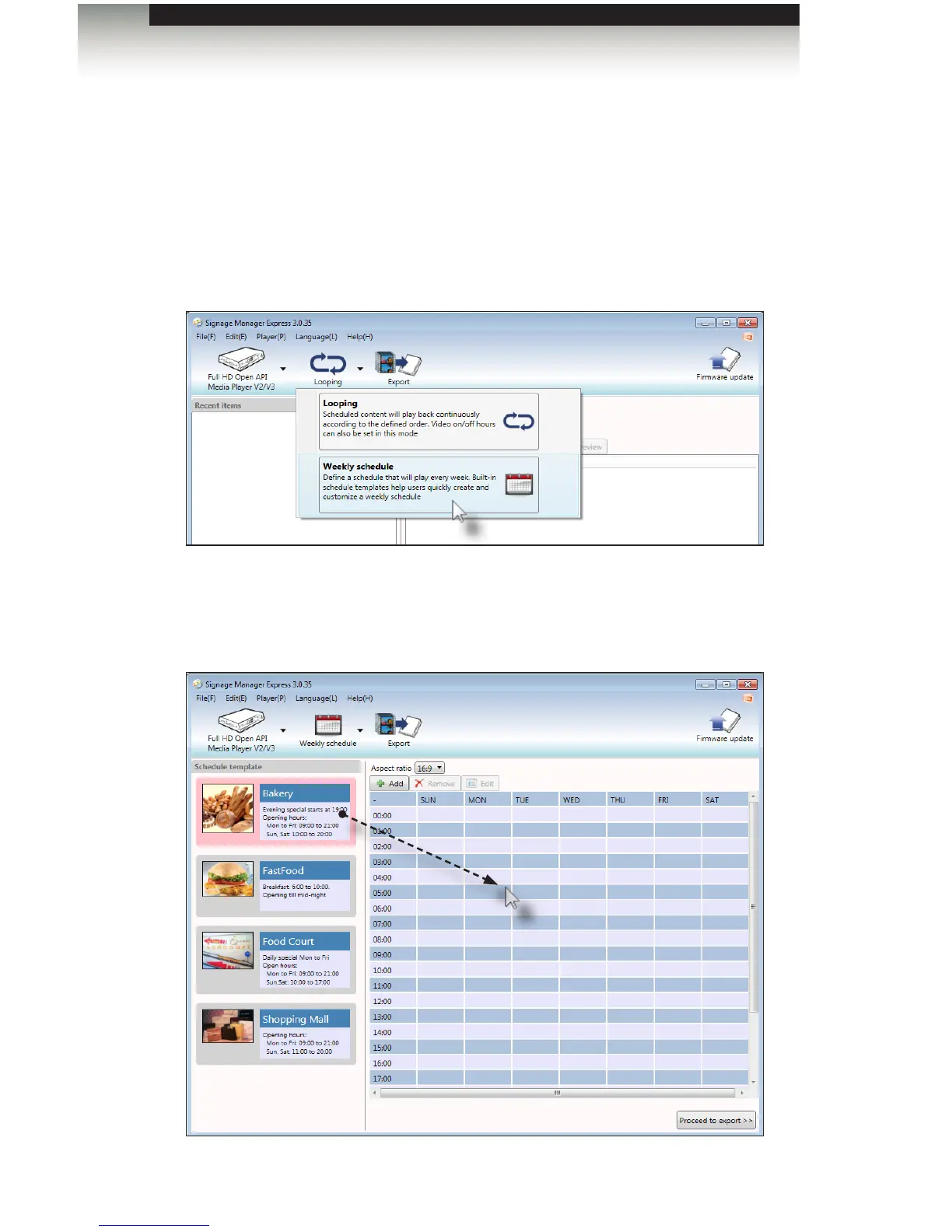
2. Select Weekly schedule mode from the Edit menu or select it from the drop-down list
at the top of the screen.
On the left side of the screen, there are four templates that can be modied for your
own use: Bakery, Fast Food, Food Court, and Shopping Mall.
3. Drag-and-drop the Bakery template to the scheduling area, as shown below:



 To Next Page