page | 64
Adding a Banner
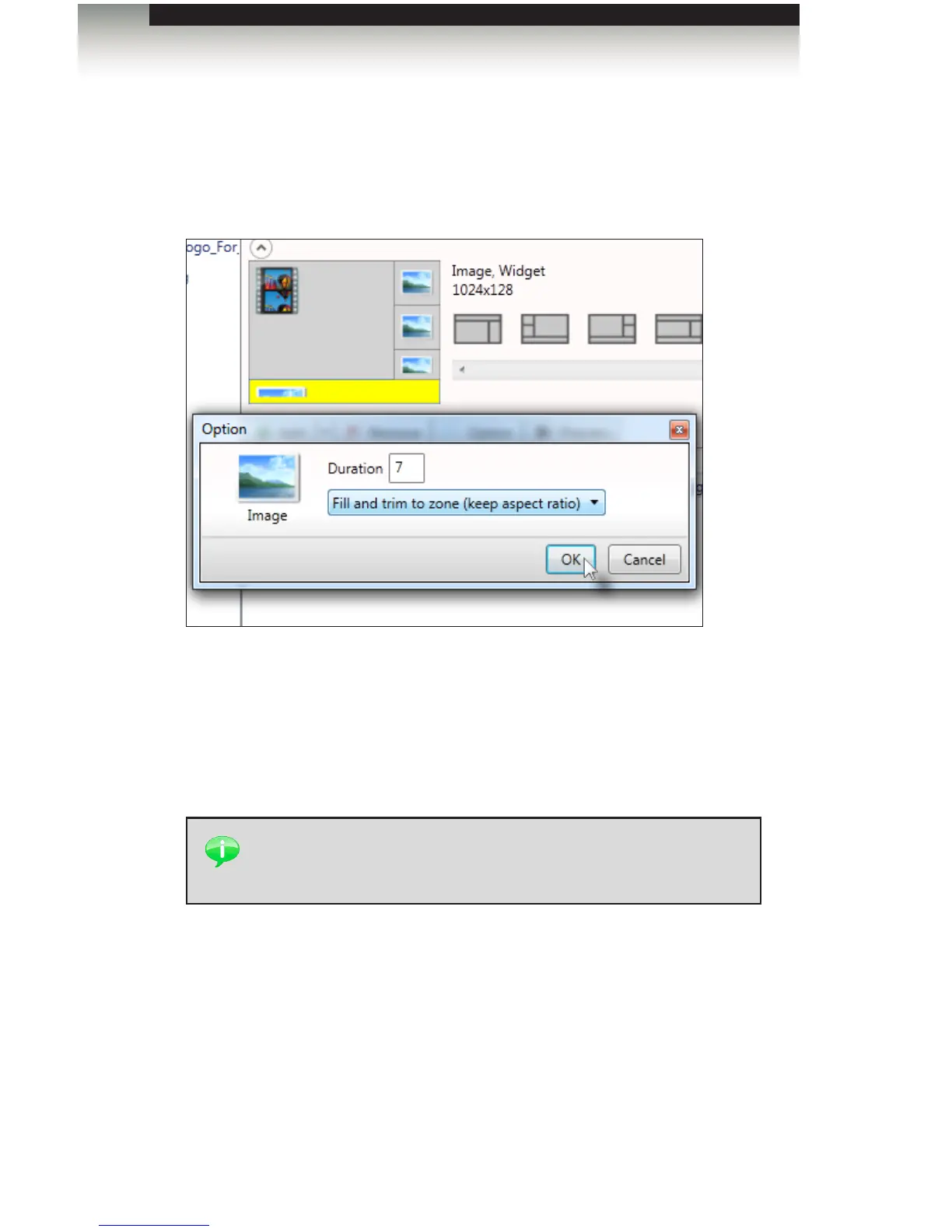
1. Select the lower portion of the template and add a graphic. Use the Option dialog to
select Fill and trim to zone (keep aspect ratio), in order to keep the graphic from being
“sqeezed” or “stretched”.
2. Click OK to close the dialog box.
3. Click the Proceed to export button, at the bottom of the Signage Manager Express
screen.
4. Finally, click the Export button to upload the assets and template to the Digital
Signage Player with Wi-Fi Plus.
TIP: Use the More color option, under the Option dialog, and try to
match the colors in the Web page. This will improve the appearance
and color of the nal presentation.
Creating a Sample Presentation
Signage Manager Express Software



 To Next Page