page | 27
Conguring the Digital Signage Player
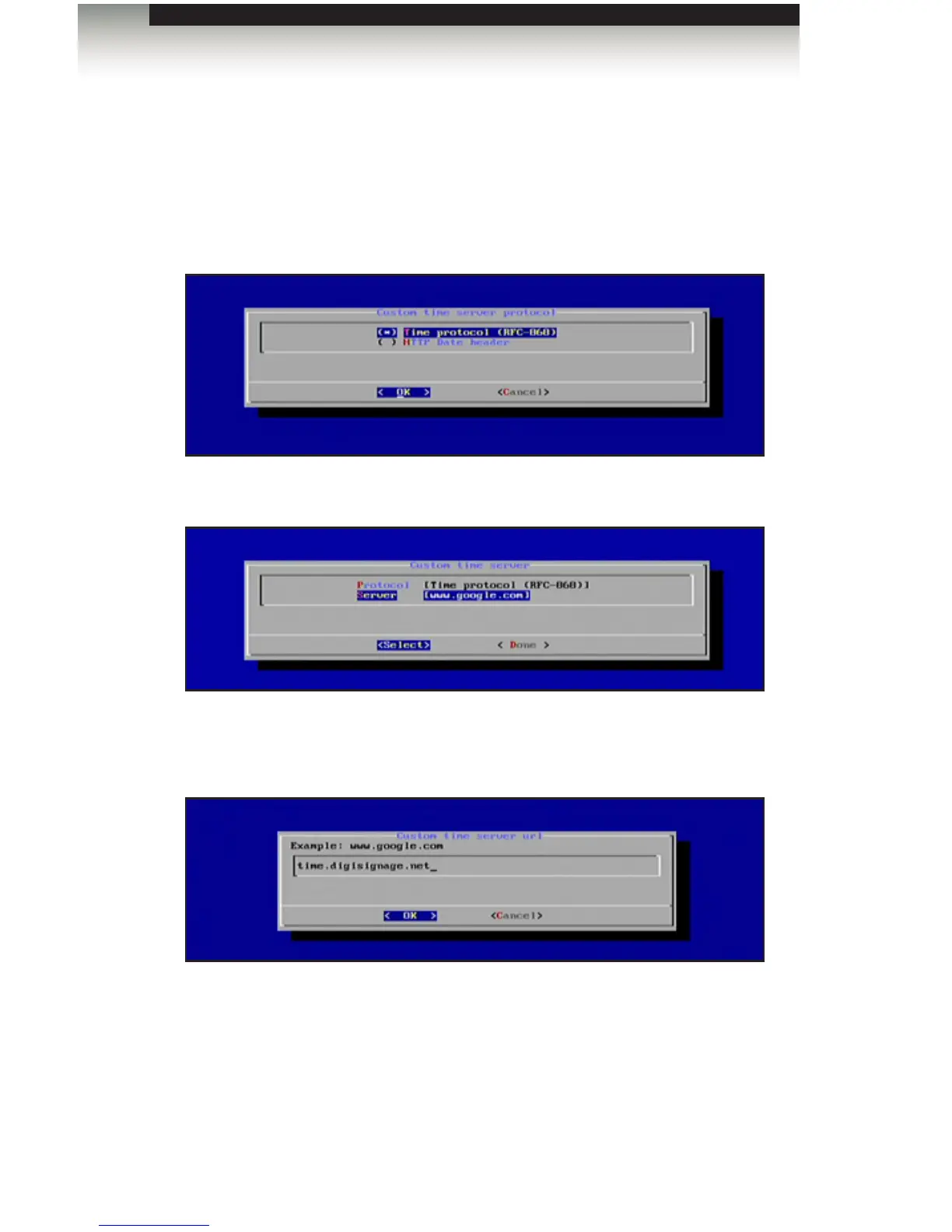
3. Press the Enter key and select from one of the protocol options:
• Time Protocol (RFC-868)
• HTTP Date Header
4. Highlight the desired protocol and press the Spacebar to select it. Press the Enter
key to conrm the changes and return to the Custom Time Server dialog.
5. Change the server by highlighting Server and pressing the Enter key.
6. Type the name of the desired time server and then press the Enter key to save
changes.
7. Select Done from the Main Menu to save the changes.
Operating the Digital Signage Player with Wi-Fi Plus



 To Next Page