Chapter 3 - Setup 51
© 2018 Geist
GM1196 R-Series v5 Instruction Manual
NOTE
Once a user has logged in to their account, they can change their
password or language preference by clicking their username,
shown next to the Log Out hyperlink at the top right-hand corner
of the web page.
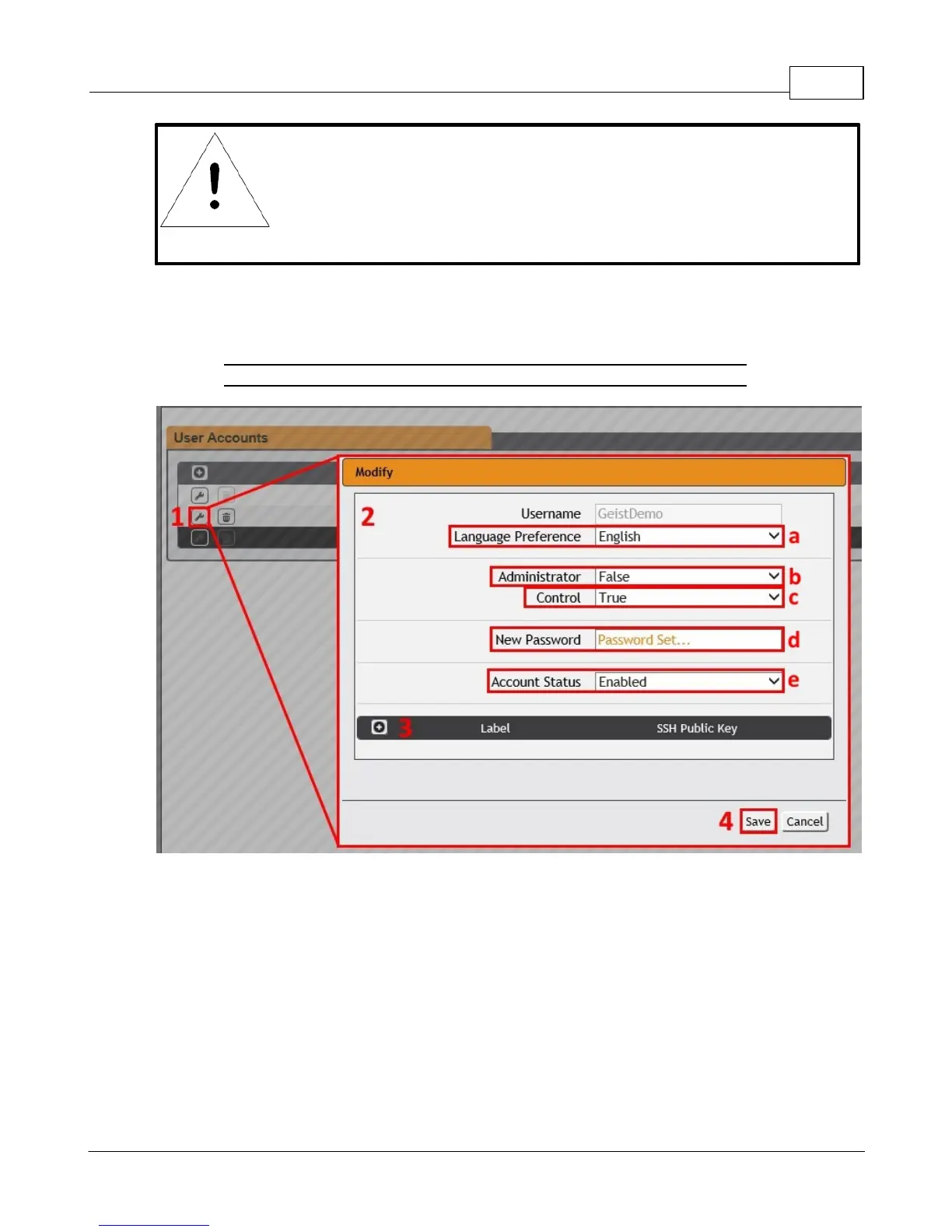
To Modify a user Account:
1. Click the Modify User icon.
Figure 3-19 Modify User Page
2. Modify the account information as follows:
a. Language preference: Change the default language for this user. Options are
English, French, Spanish, German, Portuguese, Japanese, Chinese and Korean.
b. Administrator: if set to True, this account has Administrator-level access to the
unit, and can change any setting. This option can only be modified by an
Administrator level account.
c. Control: if set to True, this account has Control-level access. Setting Administrator
to True will automatically set Control to True as well. Setting this to False makes the
account a View-Only account. This option can only be modified by an Administrator
level account.



 To Next Page