R-Series v5 Instruction Manual52
© 2018 Geist
GM1196 R-Series v5 Instruction Manual
d. New Password: account passwords may be up to 24 characters long, are case-
sensitive, and may not contain spaces.
NOTE
Strong passwords typically contain at least 8 characters with a
mix of Alpha (lower and upper case), numeric, and special
characters.
e. Account Status: set the account to Enabled or Disabled. Disabling an account
prevents it from being used to log in, but does not delete it from the account list.
This option can only be modified by an Administrator level account.
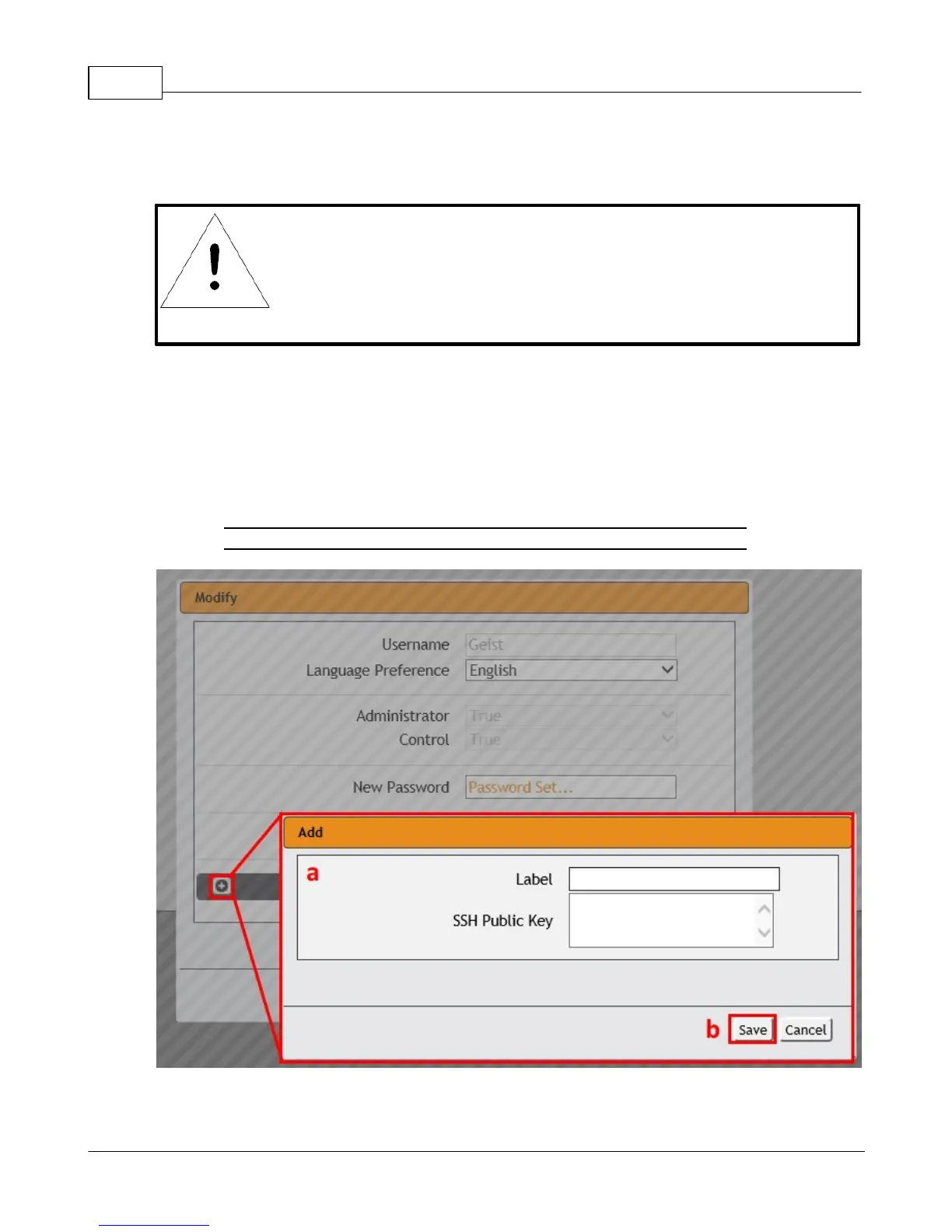
3. Click the add icon to add a user specific SSH Public Key
a. Enter Label and SSH Public Key information
b. Click Save button when finished.
Figure 3-20 Add Icon
4. Click the Save button when finished.



 To Next Page