R-Series v5 Instruction Manual54
© 2018 Geist
GM1196 R-Series v5 Instruction Manual
· Interfaces: This section is used to configure the IP address of the PDU, enable/disable
DHCP and to view Link State and Uptime. The device will support up to 8 user
configured IP address entries.
· Routes: Displays configured routes and is where you will set your Gateway address for
the PDU. Default routes are distinguished by a "destination" of "0.0.0.0" or "::", with a
Prefix of "0" and Interface of "all". Only one default route can exist for IPv4 and one for
IPv6.
· DNS: Allows the unit to resolve host names for email, NTP, and SNMP servers.
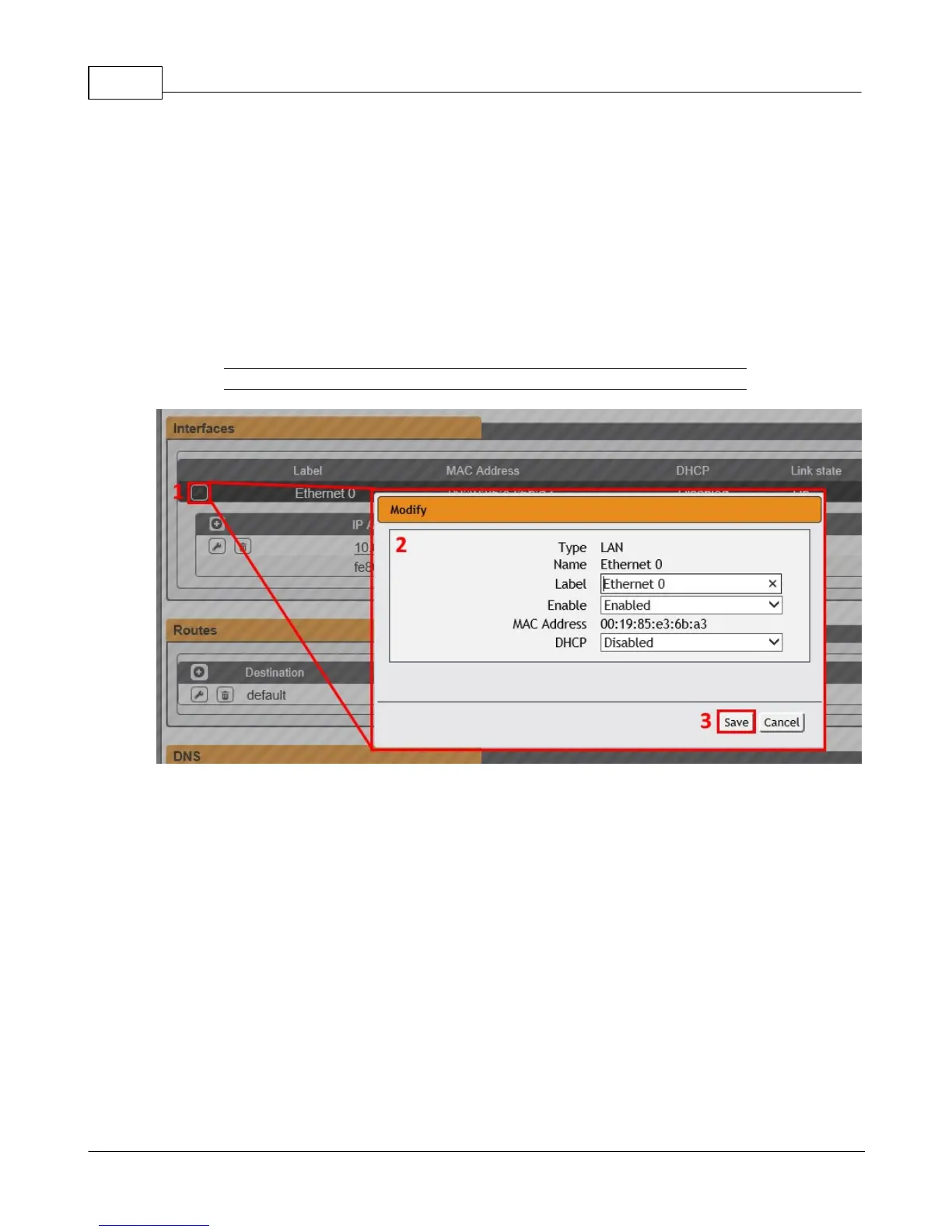
Figure 3-22 Editing Interfaces Parameters
To edit the Interfaces parameters:
1. Click the Modify icon
2. Modify desired fields which include:
a. Label - Change the desired name of the selected interface.
b. Enable - Enable/Disable the selected interface. Please note that if only one
interface is available/configured, disabling the interface will restrict
access to the device requiring a network reset.
c. DHCP - Enable/Disable DHCP on the selected interface. DHCP is enabled by
default and will be disabled if a static IP address is configured.
3. Click the Save button



 To Next Page