Chapter 3 - Setup 55
© 2018 Geist
GM1196 R-Series v5 Instruction Manual
NOTE
Any changes you make to the Network Interface settings will
take effect once the Save button is clicked! If you have
changed the IP address it will appear as if the unit is no longer
responding because the browser will not be able to reload the
web page. Just stop or close the browser window, then type
the new IP address into the browser's address bar, and the unit
will be accessible.
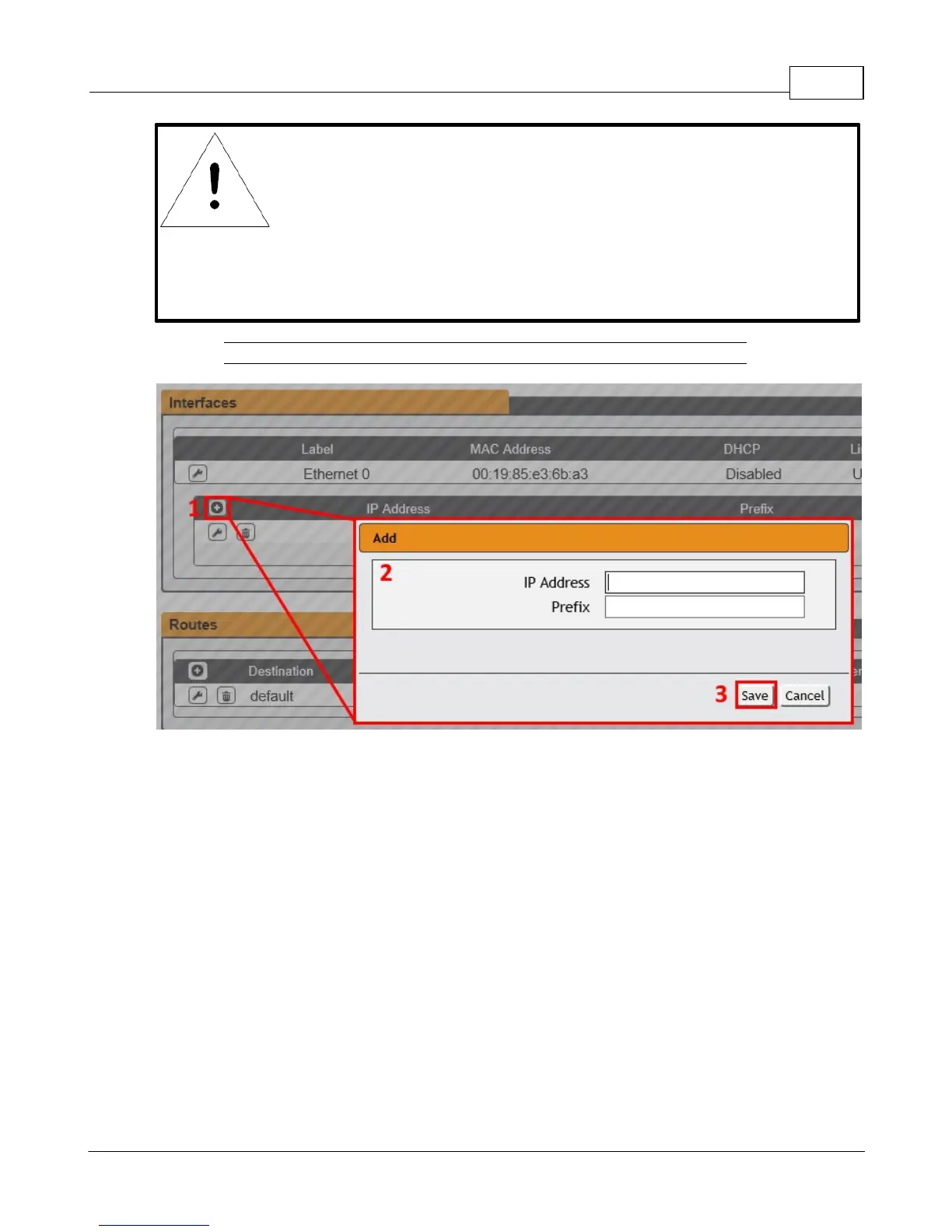
Figure 3-23 Add New IP Address
To add a new IP Address:
1. Click the Add icon.
2. Enter the IPv4 or IPv6 Address and Prefix/Subnet Mask into appropriate fields. Up to 8
IP addresses can be statically assigned.
3. Click the Save button.



 To Next Page