R-Series v5 Instruction Manual56
© 2018 Geist
GM1196 R-Series v5 Instruction Manual
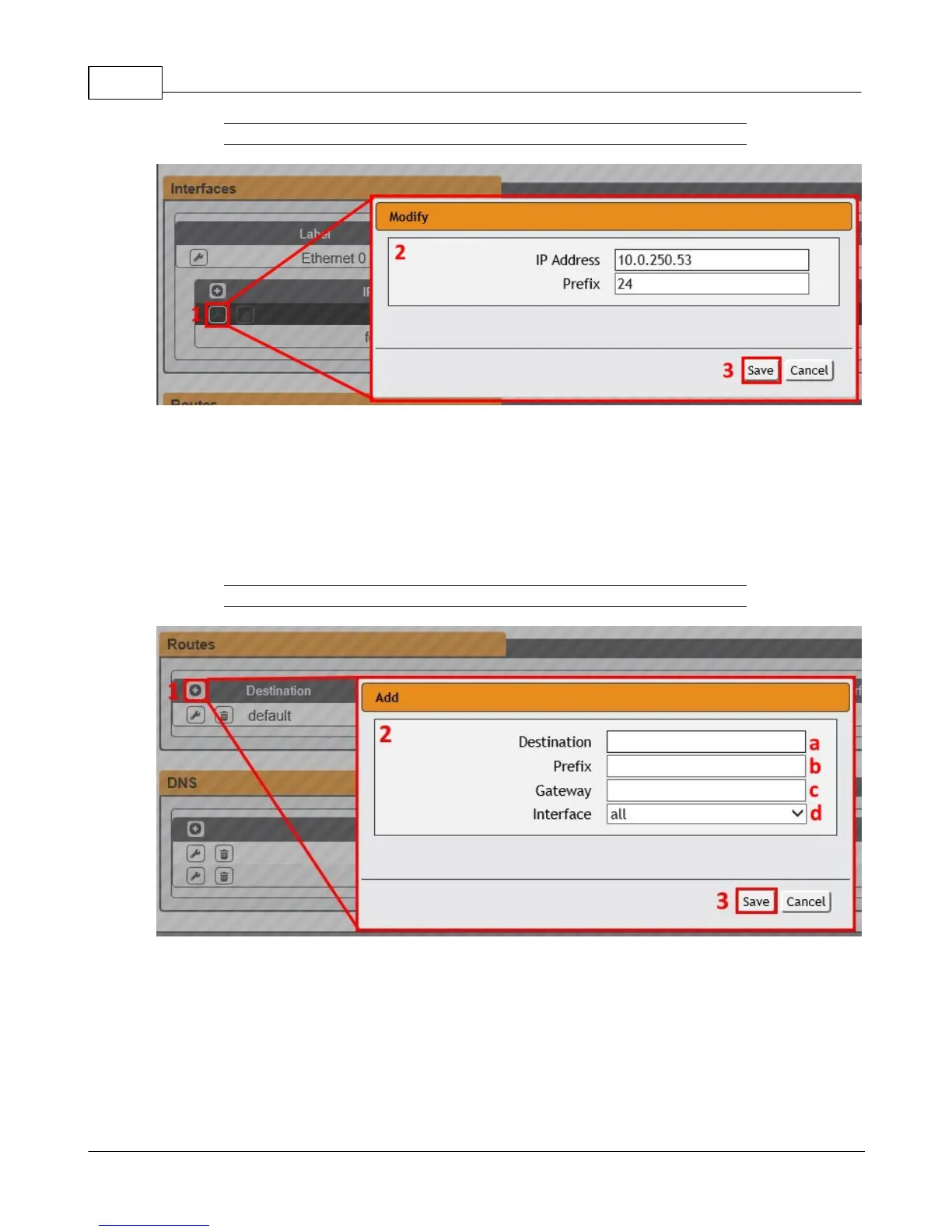
Figure 3-24 Modify Existing IP Address
To modify an existing IP Address:
1. Click the Modify icon.
2. Edit the IP Address and Prefix/Subnet Mask fields as needed.
3. Click the Save button.
Figure 3-25 Add a New Route
To add a new Route:
1. Click the Add icon.
2. Enter the appropriate information
a. Destination IP address for desired route
b. Enter Prefix for desired route



 To Next Page