54 -
CONTROL UNIT
Buttons
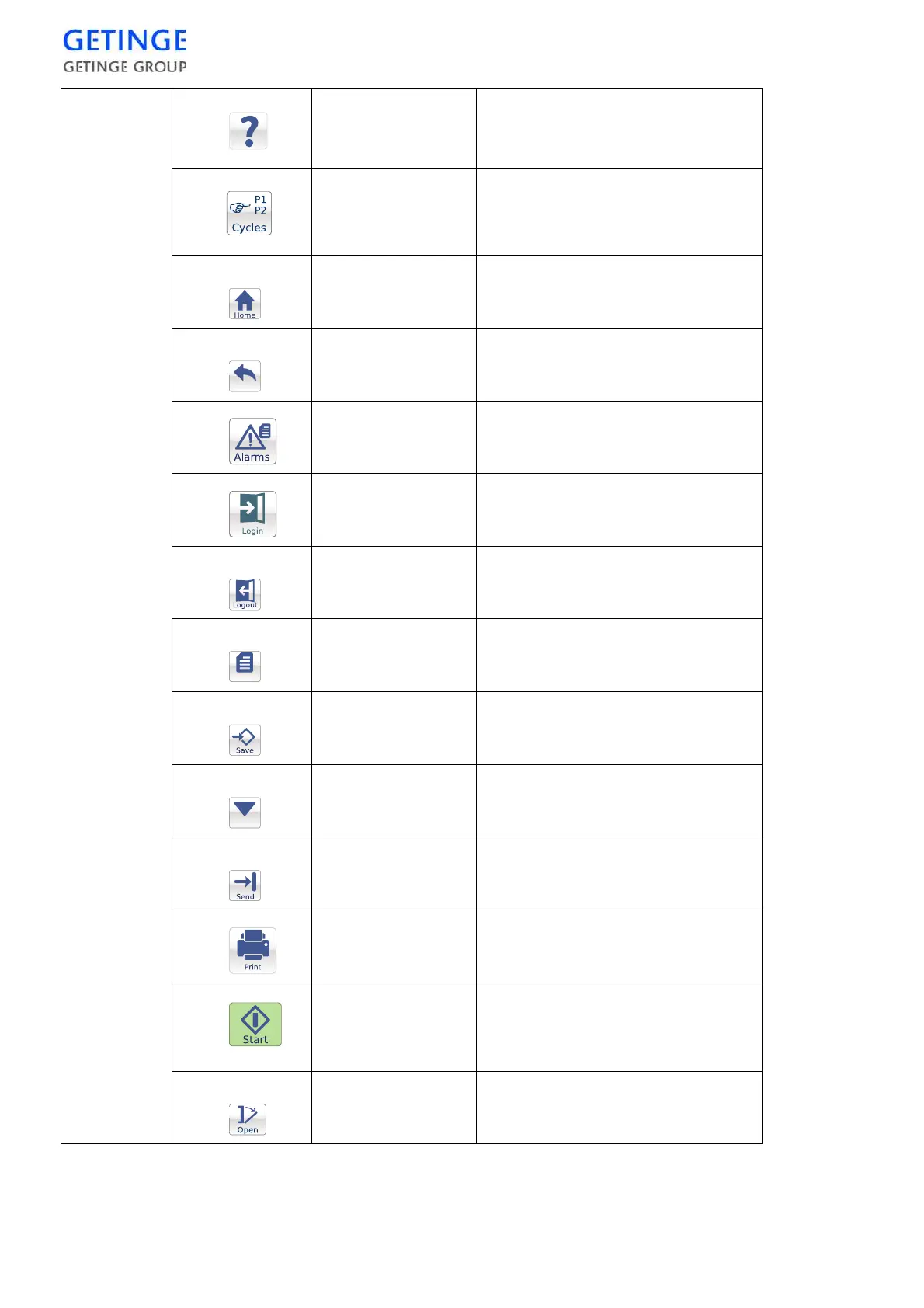
Help
No function. For information, see
"User Manual" or "Service
manual."
Cycles
Open menu to select cycle.
Note: Not displayed on the
unloading side.
Home
Display latest start screen.
Back
Return to the previous window or
menu, or undo the input.
Alarm
Display menu for alarm history.
Login
Display login screen.
Logout
Log out current user.
Menu
Return to the main menu.
Save
Save edited data.
Calibrate
Execute calibration.
Submit
Submit values to the PACS.
Print
Send selected data to the printer.
Start
Start the selected cycle.
Note: Not displayed on the
unloading side.
Open
Open machine door.
Back
Menu
Calibrate








 To Next Page