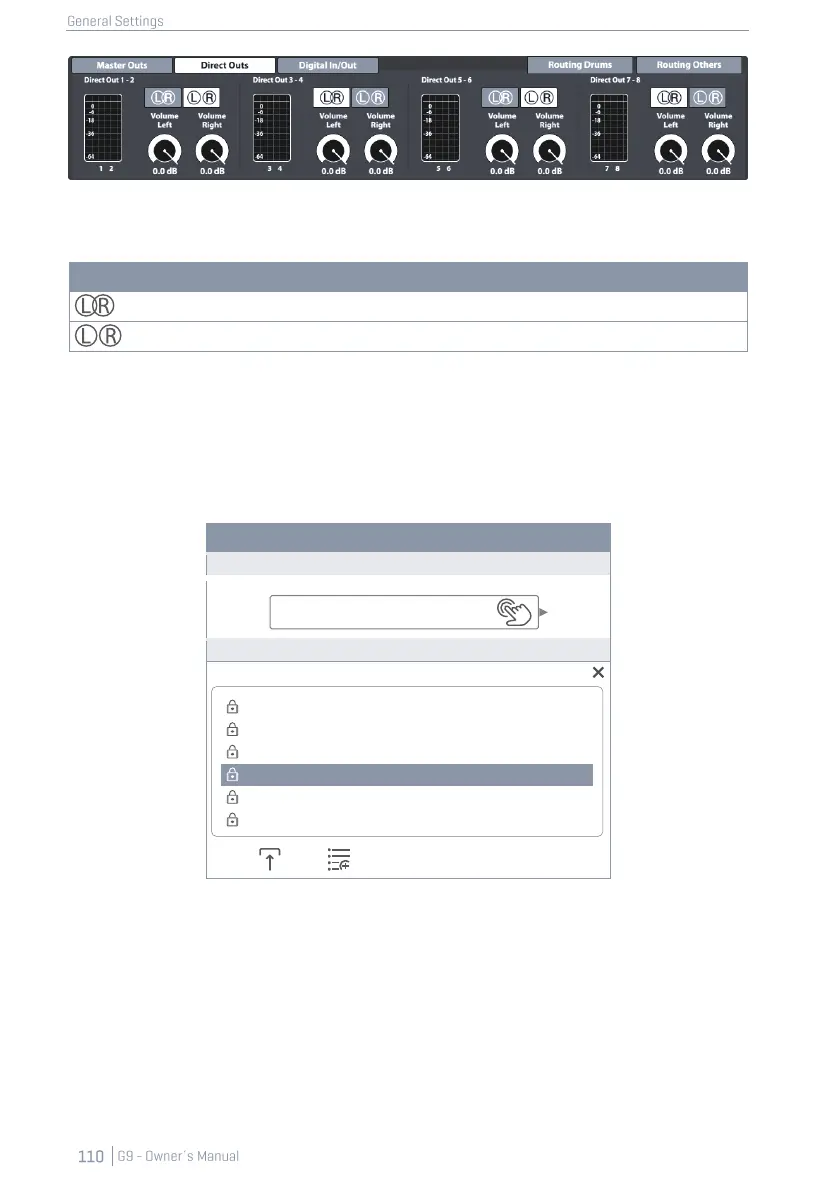
2. Switch between the L/R icons by tapping on the corresponding button.
3. Open the Routing Matrix again and check the state of the L/R icons on the right-hand side.
Direct Outs - Configurations
12.1.4.2 PRESETS – ROUTING
The G9 provides a variety of options to manage preset libraries. You can access the library and its
functions by tapping on a [Preset] field next to a group of preset parameters. In the drop down, that
open by tapping on a preset field, the G9 differentiates between Factory Presets (preceding lock
icon) and User Presets (without lock icon).
Routing- Preset Field and Browser
Select Routing Drums Preset
Regarding user presets, the palette of options is extended, since factory presets are not editable. To
see the difference between both types, highlight them one after the other by tapping once on the
corresponding list entry in the preset browser.
See the following table for comparison:
Clear All – Stereo Direct Outs
Flood Matrix – Stereo Direct Outs
Flood Matrix – Mono Direct Outs
Clear All – Stereo Direct Outs
Clear All – Mono Direct Outs



 To Next Page