Reverb Types - Parameters
Activate/deactivate the reverb module globally
The amount of time before the onset of reverb.
Longer delays leave the dry sound untouched in its
attack and preserve clarity of the sound. Short
delays blend with dry signals earlier at the cost of
crispness, if reverb starts before the fully developed
attack of the dry sound.
Controls the length of the reverb after Pre-Delay.
Reverb time is also known as “Decay Time”.
Hi-Pass pre-cuts the low dry-frequencies for the
reverb algorithm (= Low Cut) and lets the high
frequencies cut through. Set the frequency thresh-
old below low frequencies are cut off. The fall-off
curve avoiding sharp cuts is fixed and not editable.
Increases or reduces frequencies above the shelf
frequency at 1.5kHz (Center frequency, turning
point). Set positive values for increase and negative
values for a decrease.
(-12) – (+6) dB
(@1.5kHz)
Filter that causes the high reverb frequencies to
decay faster than the rest. The slider ranges from 0%
(no damping) up to 100% (max damping)
Cuts off the reverb completely after dropping below
the set Gate Threshold Level. A value of 0 switches
the effect off, “On-values” range from (-114 dB) up
to (-24 dB).
Level of attenuation of reverb. Controls the volume
of the reverb compared to the dry sound.
10.7 MODULE 3
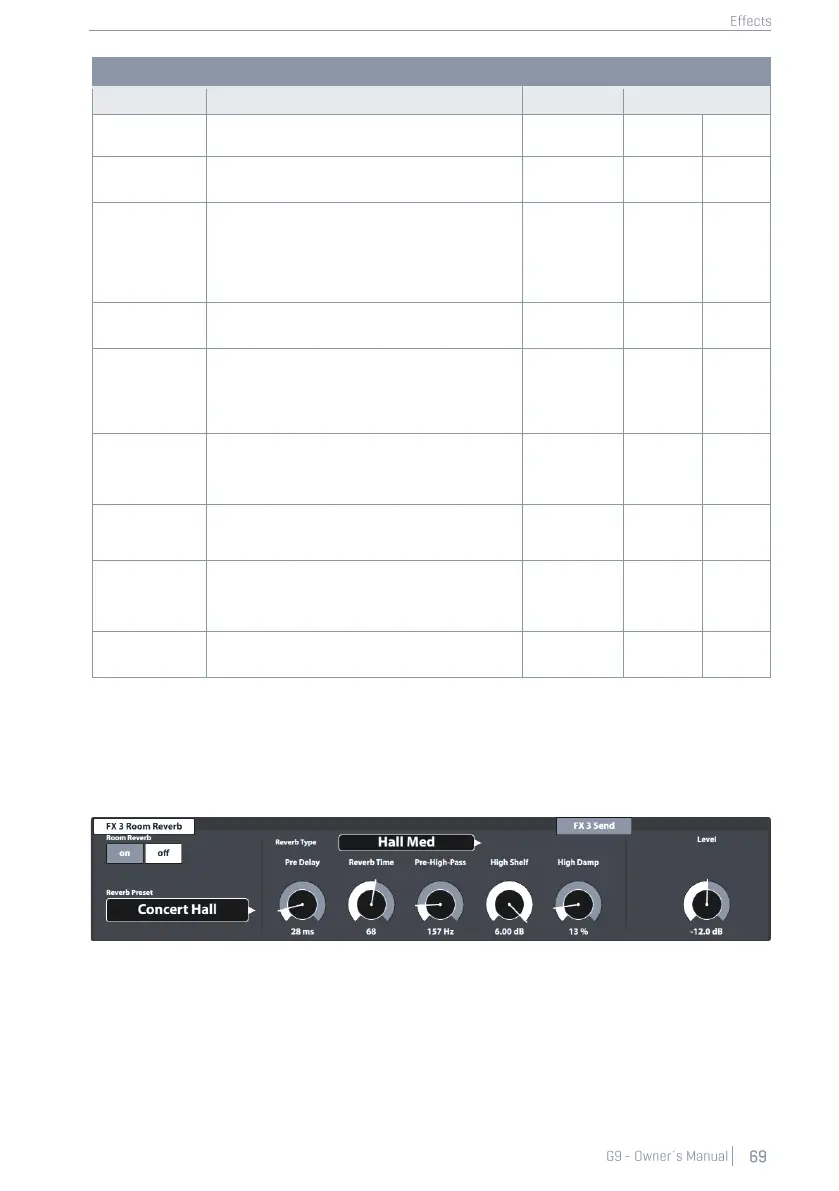
10.7.1 FX3 ROOM REVERB
The features available in this module represent the generic counterpart of the Ambience module. It
provides the same Reverb Types and parameters as Instrument Reverb, but with focus on the room
specific qualities of reverb. Use this effect section to add reverb to a dry sound when ambience
samples are not available, or simply to create sounds of traditional recordings with electronically
generated reverb. Presets provided for this module reflect different environmental characteristics.



 To Next Page