19
9
Programming
i
Before you can start programmi
ng, you must have set the final
Programming the door control
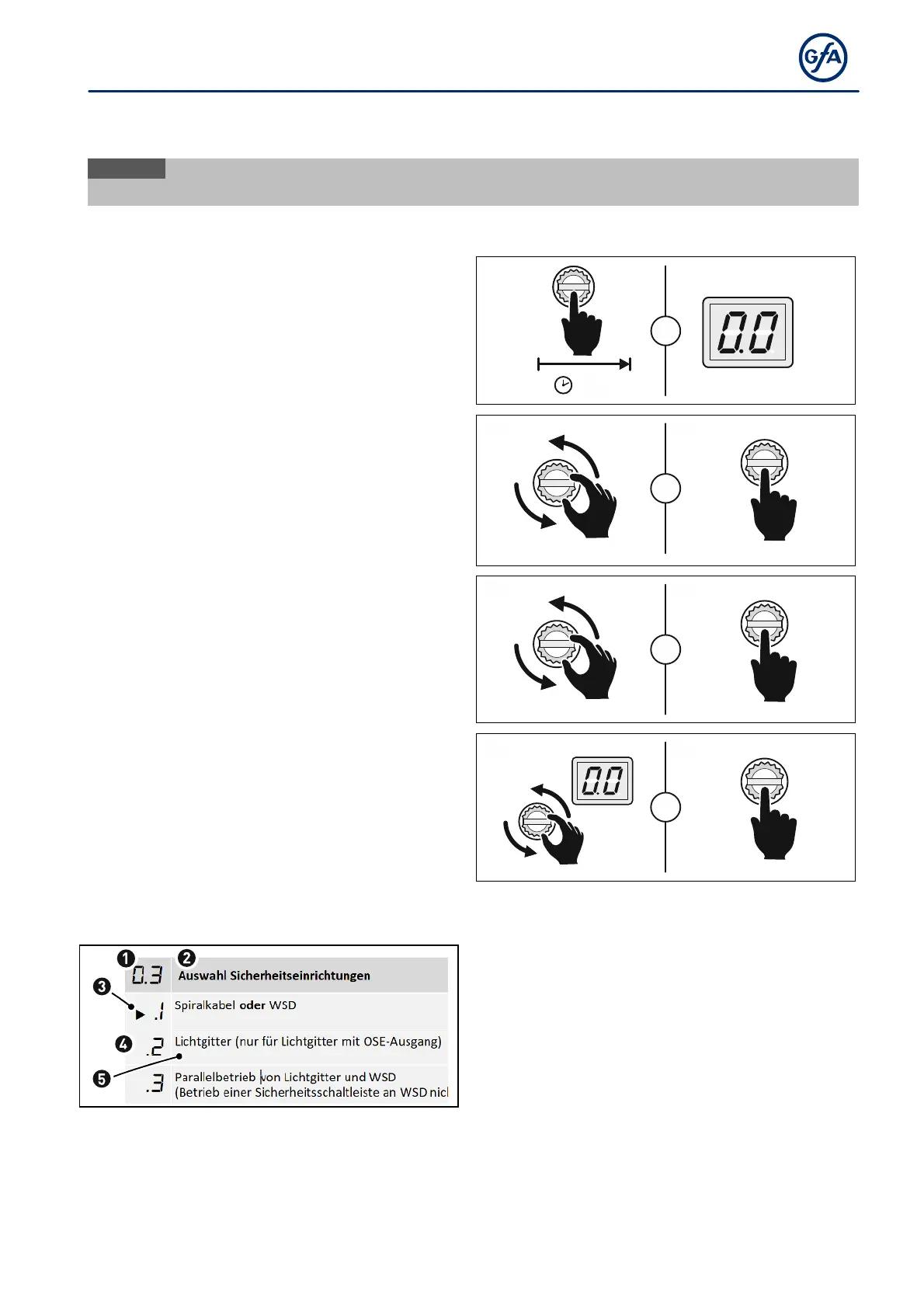
Press the selector switch for 3 seconds. The
display changes to 0.0.
3s
=
Turn the selector switch to the desired menu
item.
Press the selector switch once to confirm the
selection. This will take you to the options.
1x
+
Turn the selector switch to the desired option.
Press the selector switch once to save the
selection. You will leave the options at the same
time.
1x
+
Turn the selector switch to 0.0.
Press the selector switch once to exit
programming.
1x
+
Explanation of the programming tables
➋
Name of the menu item
➌
Symbol for the factory setting
➍
Number of the option
➎
Name / description of the option



 To Next Page