23
P 8.5 - Setting the maintenance cycle counter
With these menu items, you set a reminder for the maintenance of the door. The maintenance cycle can be
set between 1,000 and 99,000 cycles. The counter decreases by 1 every time the door reaches the final limit
position OPEN. When the counter reaches the value 0, the setting from menu item 8.6 is activated.
Setting the maintenance cycle counter
Deactivated.
.1 – 9.9
.1
9.9
P 8.6 - Response after expiry of the maintenance cycle counter
Response after expiry of the maintenance cycle counter
►
Display shows C.S alternating with the value specified in 8.5
.2
Operating mode change to hold
C.S
. alternating with the value specified in
8.5
.3
Display shows C.S. alternating with the value specified in 8.5.
Option: Press the STOP button for 3 seconds to ignore the message for 500
.4
C.S
. alternating with the value specified in
8.5
i
You can delete the response from menu item
8.6
by setting a new value with menu item
8.5
P 9.1 - Readout of cycle counter
With this menu item, you can read out the cycle counter of the door control. The counter increases by 1 every
time the door reaches the final limit position OPEN. It is not possible to reset the cycle counter.
9.1
Readout of cycle counter
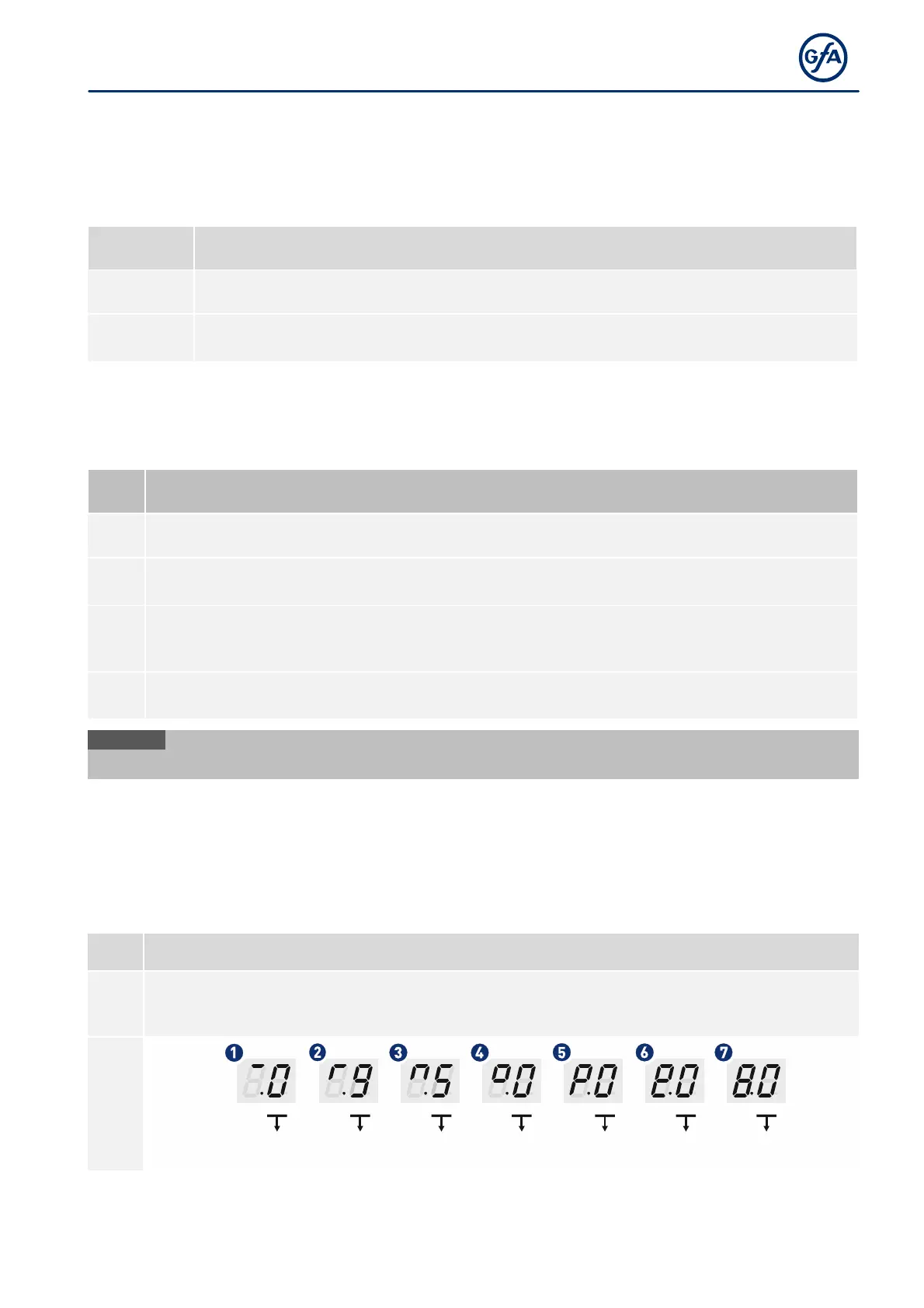
After selecting the menu item, the display changes 7 times to show a 7-digit number. The left side of
the two-digit display shows a symbol for the current position of cycle counter.The right side shows
the number of the current position. The example below shows 950.000 cycles.



 To Next Page