161
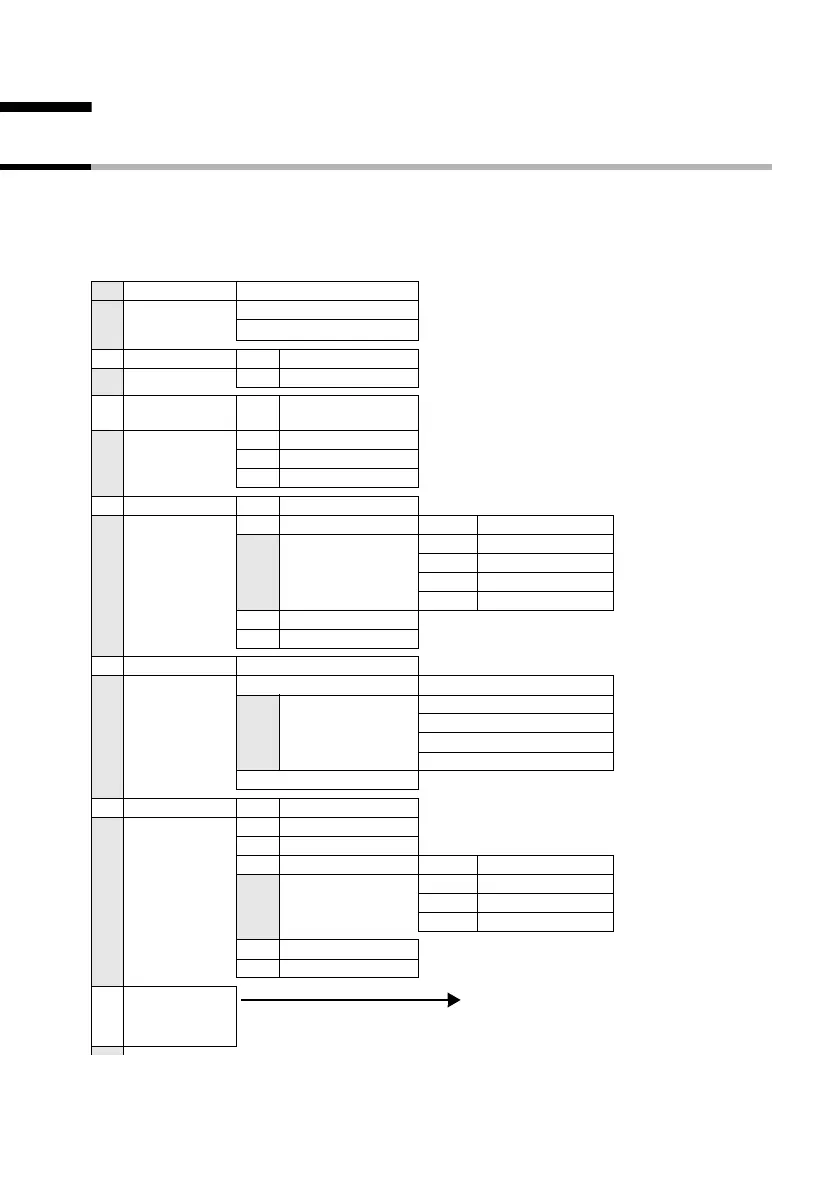
Menu Tree
S1_SL1 / englisch / A31008-X150-B103-1-7619 / menuetree.fm / 02.10.2003
Menu Tree
Main menu
Instead of scrolling to locate a menu function, you can also select a menu function faster
by opening the menu and keying in the digit combination ("shortcut").
Example: v524 for "set ringer for the alarm clock".
With the telephone in the idle status, press v (open menu):
1SMS Write message
Inbox 2/5
Outbox 2
3Add. Features3-1Room Monitor
3-2 Walk and Talk
4 Calendar/
Clock
4-1 Set Appoints.
4-2 Alarm Clock
4-3 Missed Dates
4-4 Date/Time
5 Audio Settings 5-1 Handset Volume
5-2 Ringer Settings 5-2-1 Ext. Calls
5-2-2 Internal Calls
5-2-3 Appointments
5-2-4 Alarm
5-2-5 All
5-3 Advisory Tones
5-4 Ringer Echo
6 Call Charges Cost overview
Type of calcul. Units cent.off.
Costs cent.off.
No rate
Rate --.--
Rate ----
Last charge
7 H/Set Settings 7-1 Auto Answer
7-2 Language
7-3 Register H/Set (List)
7-4 Select Base 7-4-1 Base 1
7-4-… [to]
7-4-4 Base 4
7-4-5 Best Base
7-5 Screen Picture
7-6 Reset Handset
8Base Settings
For continuation see submenu Base
Settings (page 162)



 To Next Page