1
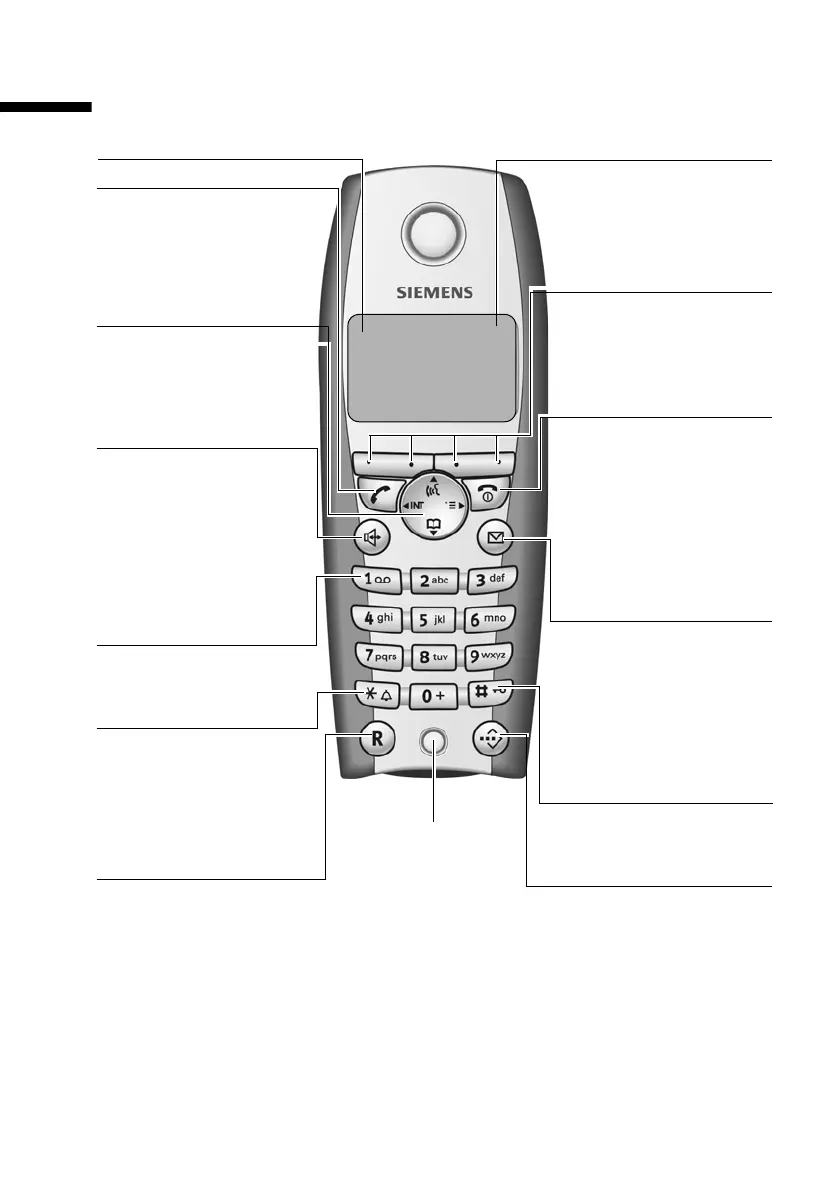
S1: The handset at a glance
S1_SL1 / englisch / A31008-X150-B103-1-7619 / SAG_covers_I-II.fm / 02.10.2003
S1: The handset at a glance
ÐV
Internal 11
20.09.03 09:45
• §§§§§§§SMS§§§§§§
End call key, On/Off key
◆ End call
◆ Cancel function
◆ Return to idle status
(hold down)
◆ Handset on/off (in idle
status, hold down)
Message key
◆ Access to SMS, calls
list, answering
machine (on base with
AM)
◆ Flashes: new SMS,
calls, messages
Handsfree Key
◆ Switch from "earpiece" to
handsfree mode
◆ Lights up: Handsfree
is activated
◆ Flashes: incoming call,
automatic last number
redial
Star key
◆ Ringer on/off (press for
approx. 2 seconds)
◆ Toggles between upper/
lower case and digits
Charge status
= flat U full
= flashes: battery is
almost flat or is charging
Control key
Opens the menu, direc-
tory, internal list, voice
selection. Navigation in
the input field
Current functions and
display keys
The display keys give you
access to the functions
shown in the display.
Key 1
Answering machine
(hold down)
Microphone
Talk key
◆ Answer a call
◆ Initiate dialling
◆ Switch from handsfree
to "earpiece mode"
Recall key
Initiate enquiry call
Reception strength
Speed dial list key
Open the speed dial list
Hash key
Keypad lock on/off
(long press)



 To Next Page