Gigaset E720-E720A / LUG_Kombi CH en / A31008-M2903-F101-1-2X19 / operating.fm / 4/21/20
Template Module, Version 2, 20.02.2020
Getting to know your telephone
17
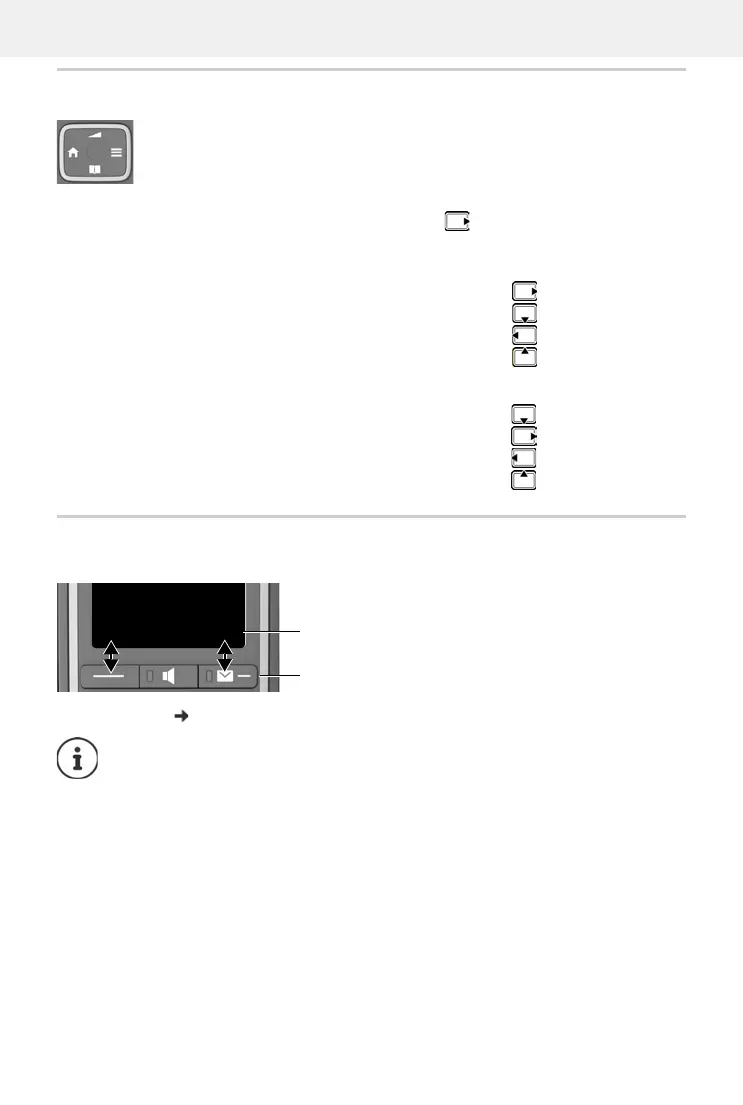
Control key
In the description below, the side of the control key (up, down, right, left) that you have to press
in the different operating situations is marked in black, e. g. for "press the right of the control
key".
In idle status
During a conversation
Display keys
The display keys perform a range of functions depending on the operating situation.
Display key icons p. 94
The control key enables you to navigate the menus and input fields, and also to
call up certain functions depending on the situation.
Open the main menu
Open the directory
Open the list of handsets
Set the call volume for receiver and handsfree function
Open the directory
Mute the microphone
Initiate an internal consultation call
Adjust the loudspeaker volume for receiver and handsfree mode
The right display key is always preassigned with the Messages function in idle mode.
The assignment of the left display key can be changed.
Current display key
functions
Display keys
Back Save


 To Next Page