43
Girard Systems © 2005
5. Use screws to mount the ACL current-limiting device BELOW control box.
O. switch boxes (not provided)
(Hardware Installation Only)
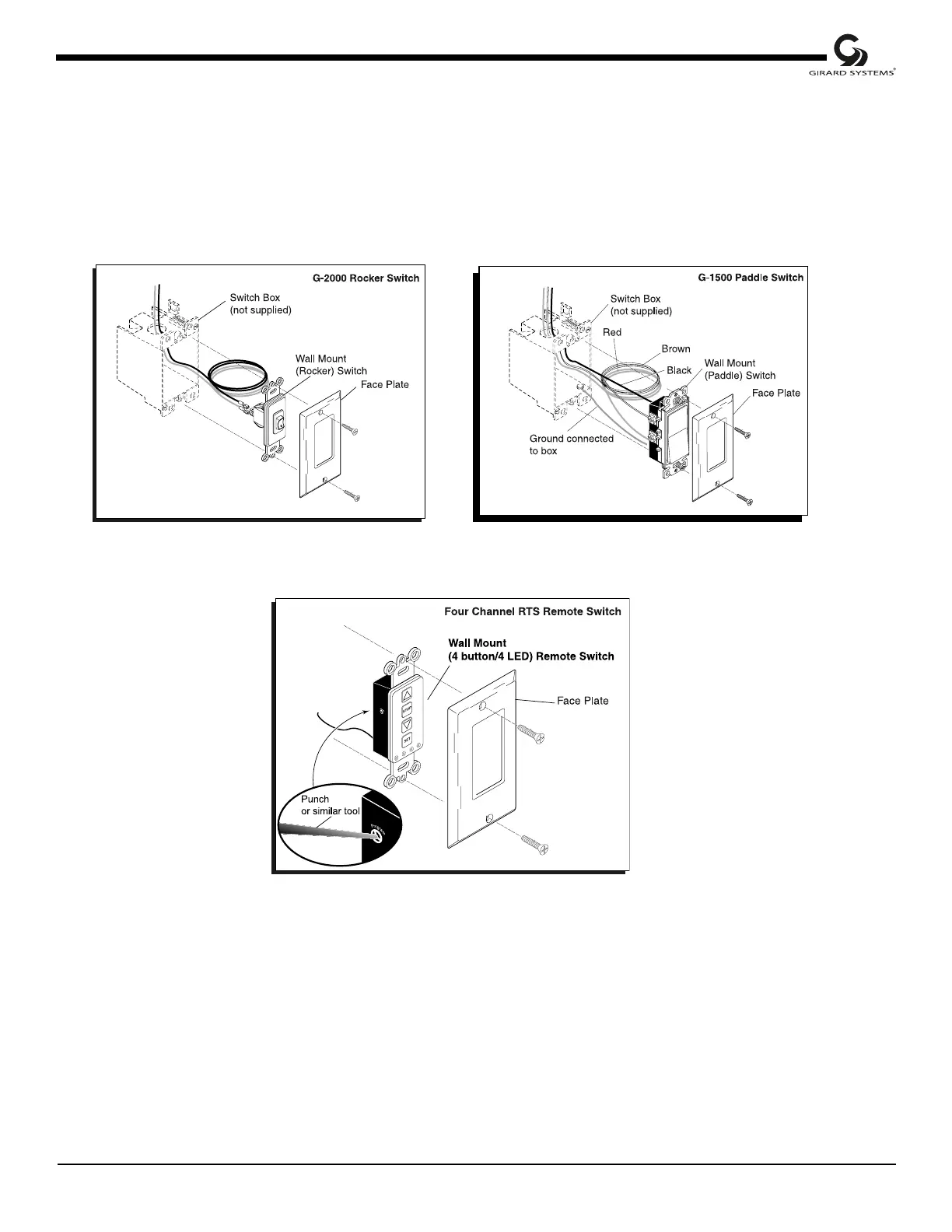
Figure 29
Wall Mount (Rocker/PADDLE) Switch with Switch Box (not provided)
1. Determine mounting location, preferably near existing RV switches, for switch box
(not provided) to house wall mount switch.
2. Cut a rectangular hole for switch box; use a 3/8" drill to start hole and a keyhole saw to
cut hole to size.
3. Remove faceplate from switch box, then insert and mount box per instructions
therein.



 To Next Page