8
Girard Systems © 2005
B. REMOTE CONTROL
(Programming)
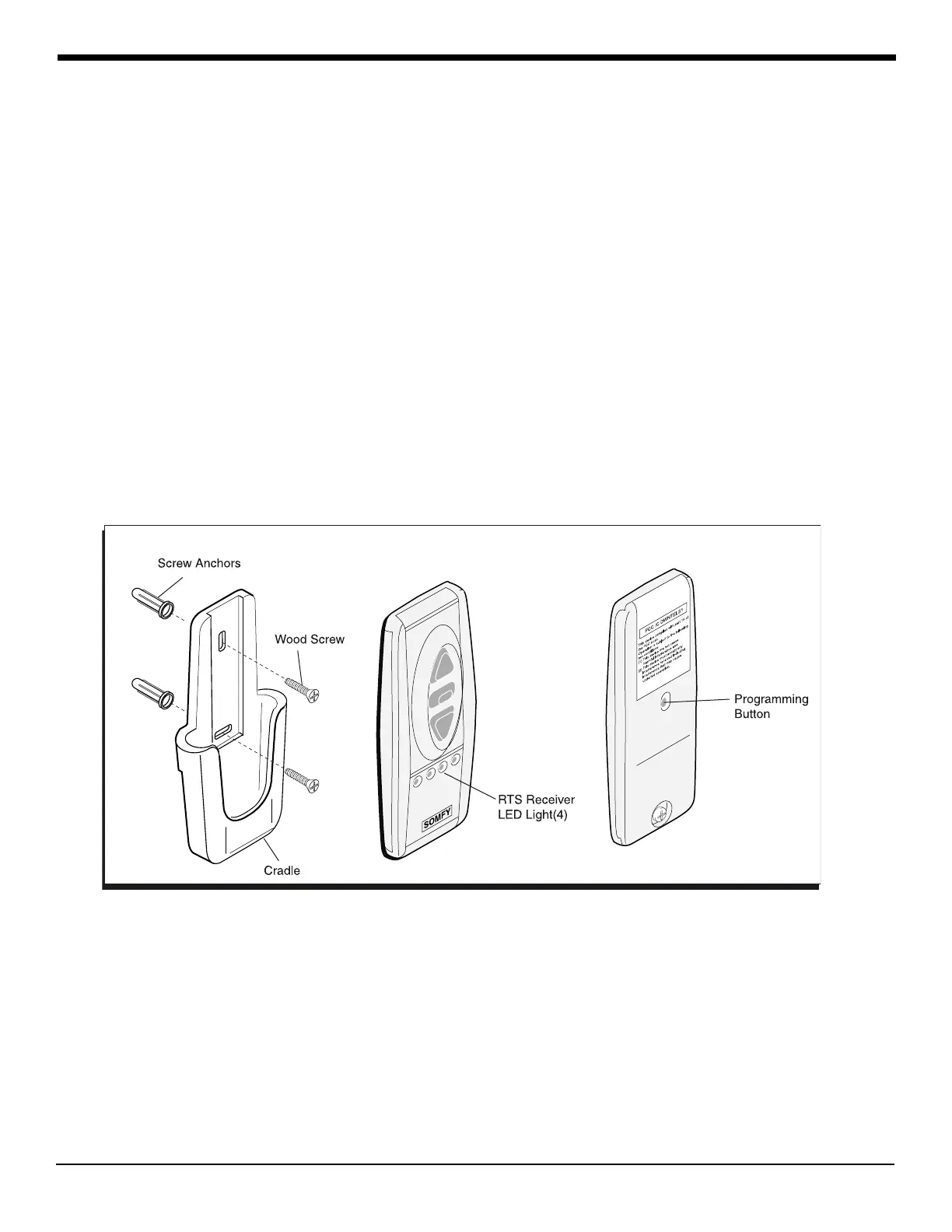
1. Press the Programming Button (PROG) of the receiver located in wind sensor control
box (lower right corner) until LED lights. This indicates that for one (1) minute the
receiver is ready to receive the address of the transmitter. After this time, the LED
goes out.
2. Press the Programming Button on the back of the transmitter (Fig. 2) with a ballpoint
pen until the receiver’s LED blinks. The address of the transmitter is instantly
memorized and the receiver automatically ends the programming mode.
3. To add or delete channels in receiver memory, please refer to instruction guide in
remote control packaging.
4. To change battery on remote control transmitter (See repair and replace section):
Figure 2
Remote Control Transmitter



 To Next Page