51
Girard Systems © 2005
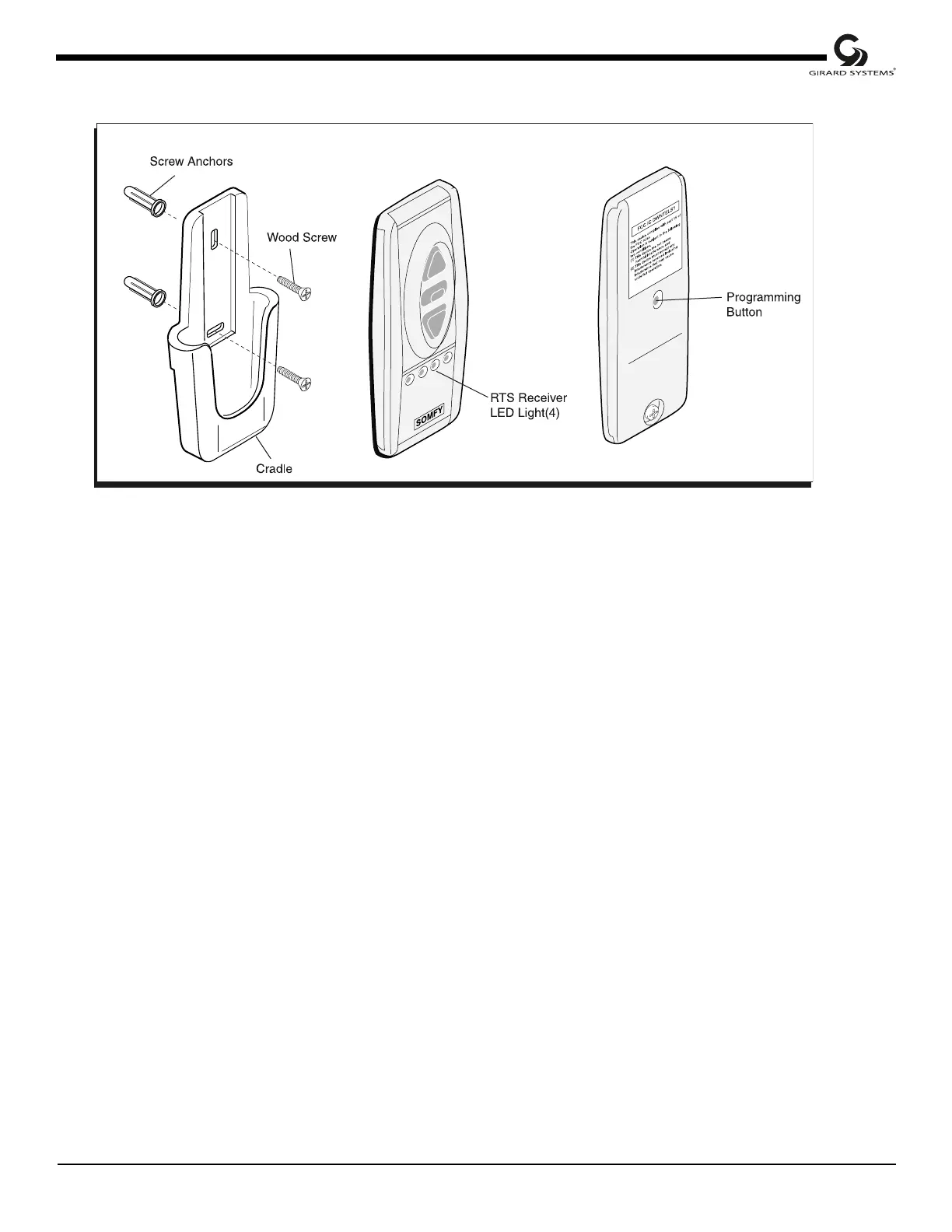
Figure 34
Remote Control Transmitter
U. MAIN POWER SOURCE
(Electrical Installation)
1. Wire main vehicle power into control box as shown on Wiring Diagram (wiring not
provided).
2. Turn on main power.
V. REMOTE CONTROL
(Initial Programming)
1. Press the Programming Button (PROG) of the receiver located in control box (see Fig.
34, lower right corner) until LED lights. This indicates that for one (1) minute the
receiver is ready to receive the address of the transmitter. After this time, the LED goes
out.
2. Press the Programming Button on the back of the transmitter (Fig. 34) with a ballpoint
pen until the receiver’s LED blinks. The address of the transmitter is instantly
memorized and the receiver automatically ends the programming mode.
3. To add or delete channels in receiver memory, please refer to instruction guide in remote
control packaging.



 To Next Page