Rev.: 4, Print date: 2021-05-05
21
NL95
1. ITNL-10-D
2. ITNL-10-D
3.
5.
6.
8.
4.
+
-
PROPERTIES :
1.
ITNL-10-D
MODULESADR
SELECT MODULE TYPE
ITNL-10-D
ITNL-3-D
ITNL-13-S
ITNL-10-S
ITNL-7-S
ITNL-5-D
MODULES
1
1
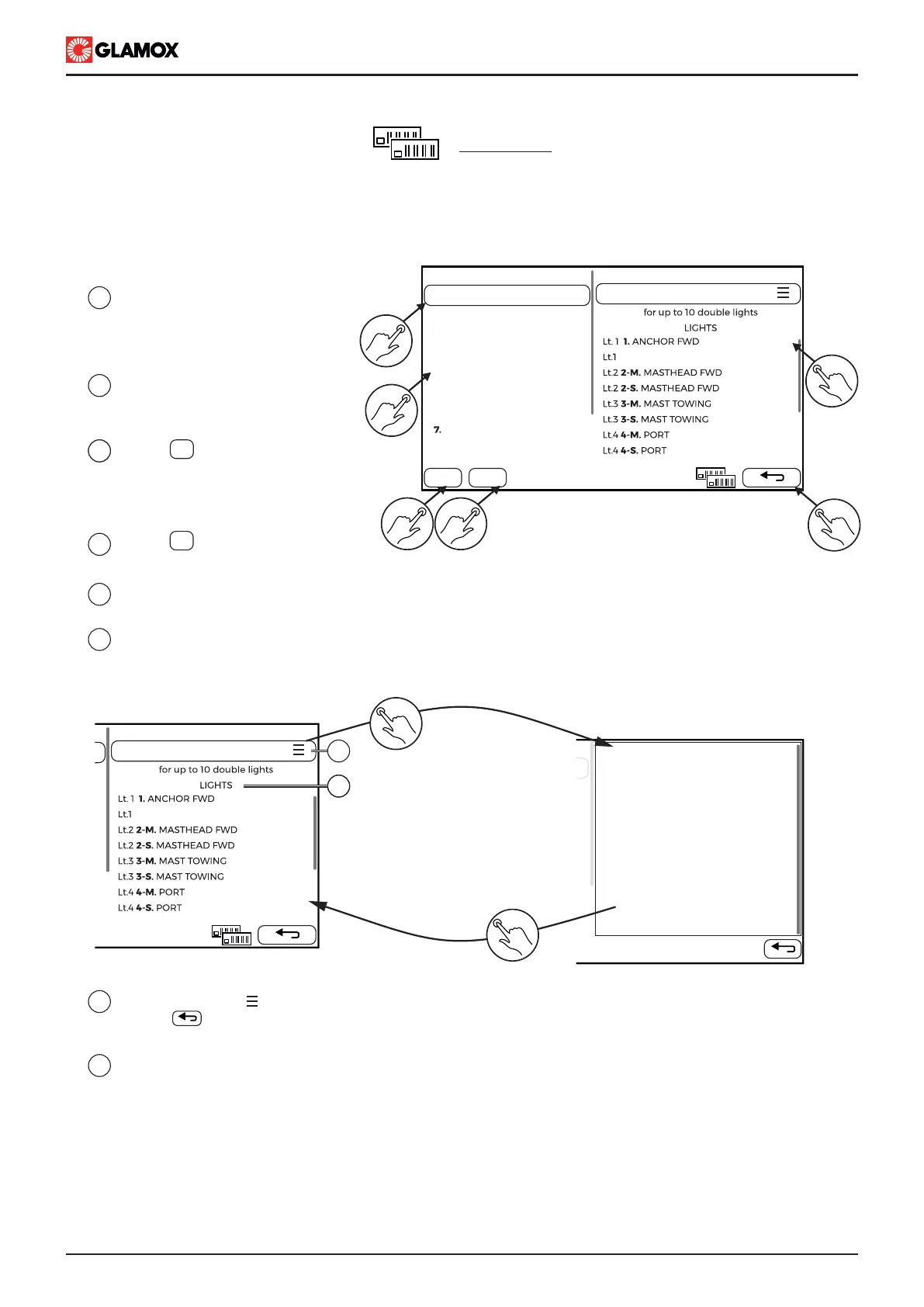
Number represents module address.
If module type is shown, address
has assigned module type.
2
3
Tap on number to select address.
Module properties will be shown.
Tap on to add or assign/change
module on selected address
(Alternative, touch on list icon to
assign/change module)
3
4
5
6
Tap on to remove module from
selected address
List of connected lights - module properties show lights assigned to selected module
once they are configured through connection screen.
Return back to configuration main screen
2
3 4
6
5
PROPERTIES :
1.
ITNL-10-D
7
8
7
8
Tap on list button , right to module name, to open module type list and choose new type or
Tap on to return back. NOTE: changing module type will disconnect all lights from it.
List of lights connected to the module
In this screen, it is necessary to configure modules with their addresses that will be used in this system,
according to connection diagram.
This configuration should match modules physically connected and addressed!!
Tap on list icon to
select module type from list
Select name or
Tap on return key
+
-


 To Next Page