Rev.: 4, Print date: 2021-05-05
32
NL95
HELP
BRIG - BRIG +
?
HELP
?
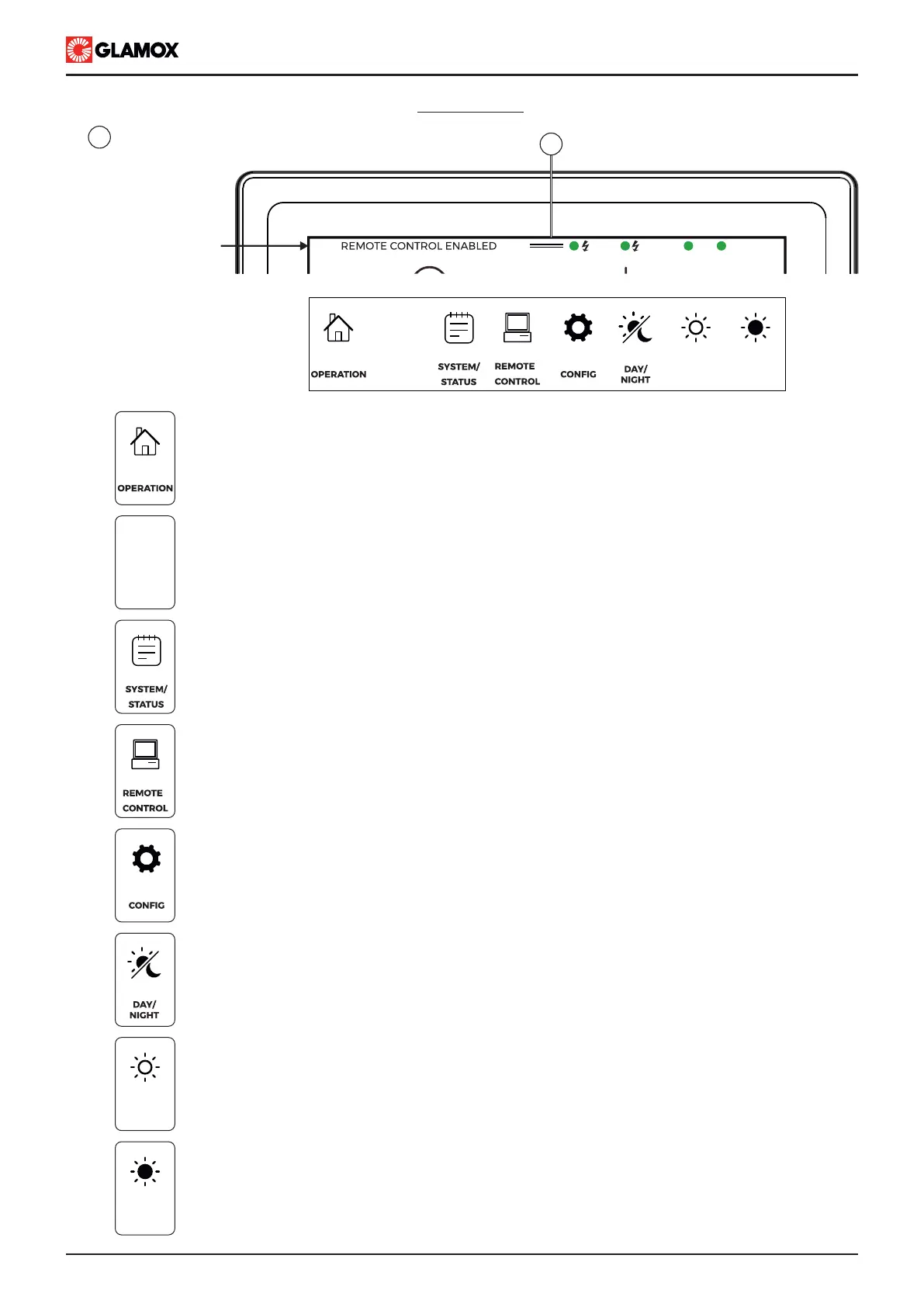
Press to enter OPERATION SCREEN
Press to enter HELP SECTION
Press to enter SYSTEM / STATUS SCREEN
Press to enter REMOTE CONTROL Activation SECTION
Press to enter CONFIGURATION SECTION
Please check configuration section
BRIG -
BRIG +
Press to switch between DAY and NIGHT display Brightness level
Please check configuration section / Preferences for default values
Press to decrease display Brightness
Press to increase display Brightness
MAIN MENU
Status bar
MAIN
EMERG.
SYS
MODULES
PS
SB
1
Main menu, swipe down to open
1


 To Next Page