LSA6000 User Manual, March 2021 18
© 2017 Global Payments Inc.
CONFIDENTIAL
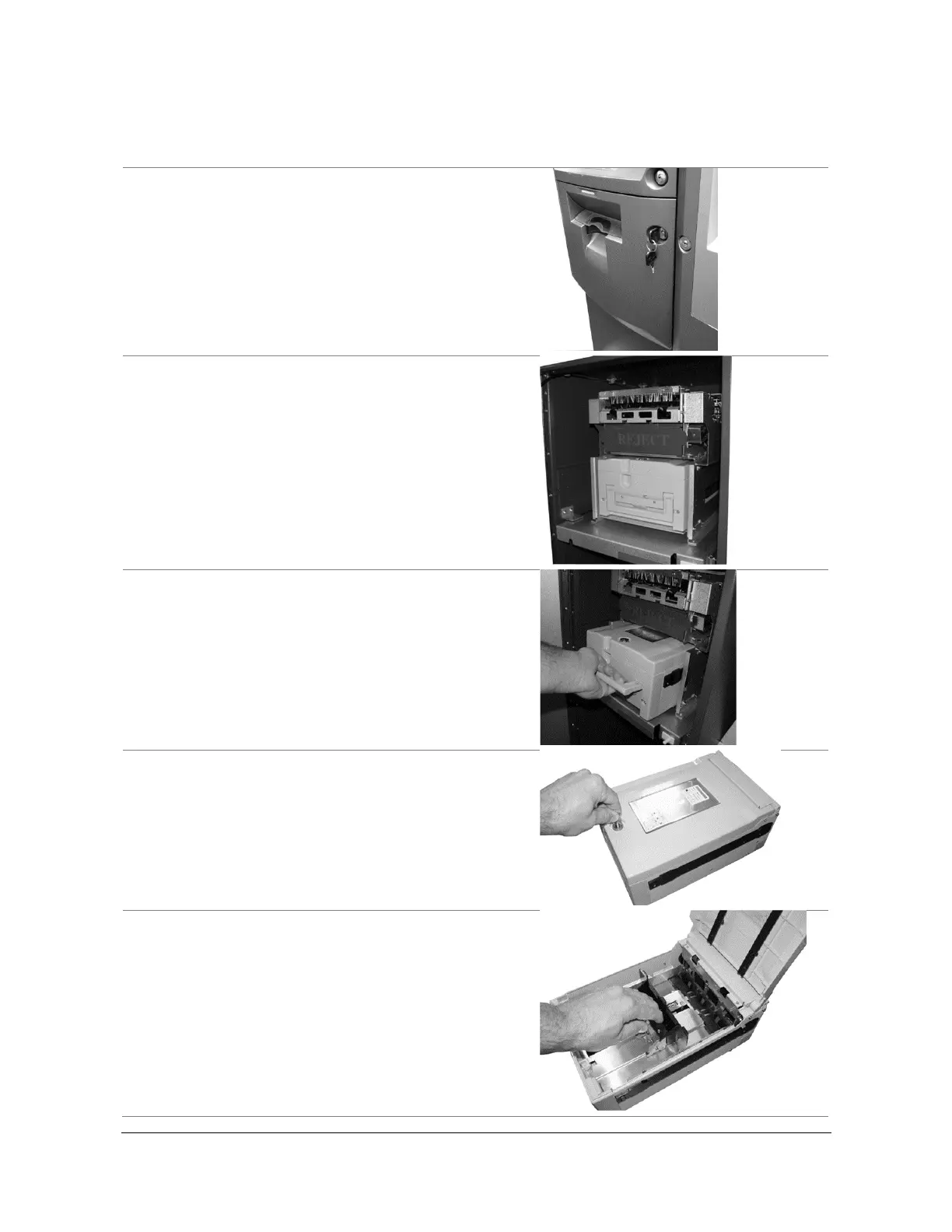
Loading Cash into the Cassette
Follow these steps to load cash into the cassette:
1. Open the security door. (See Opening the
Security Door on page 10.)
2. With the security door open, remove the
cassette. Lift the handle, supporting the bottom of
the cassette while removing it.
3. To avoid damage, never use force while
removing or installing the cassette. If anything
beyond gentle force is required while handling
the cassette, contact the CAMS support desk
(800-500-1973).
4. Open the cassette using the key shown on page
8.
5. Pull back on the cash plate, and load the bills
against the rollers at the back of the cassette. If
you pull the cash plate back all the way, it will
lock at the front of the cassette. Push the green
lever on the cash tray to release.



 To Next Page