LSA6000 User Manual, March 2021 44
© 2017 Global Payments Inc.
CONFIDENTIAL
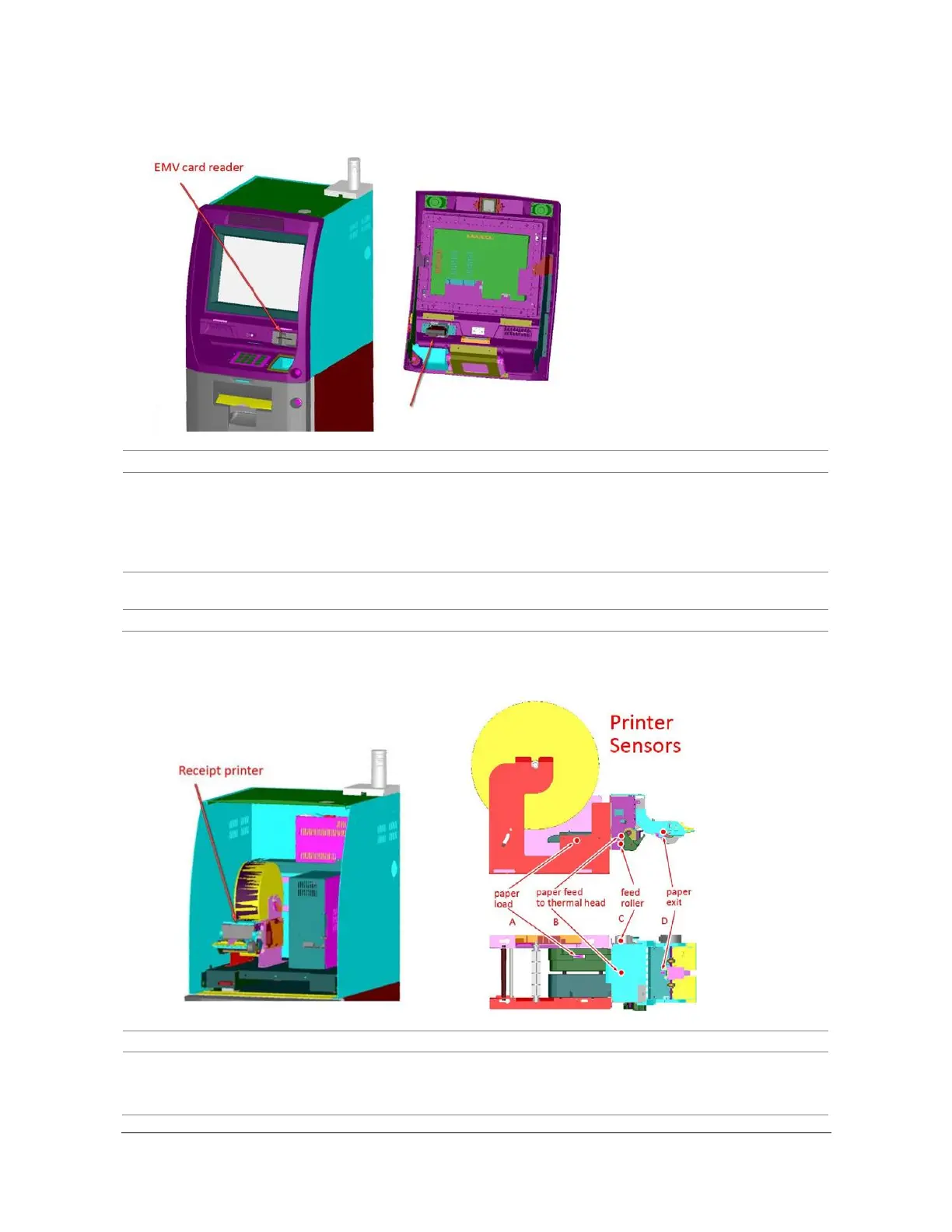
EMV Card Reader
Failure to open COM port (COM1)
1. Check the cable at rear of card reader for a loose
connection.
2. Check the power cable at SIC board for a loose
connection.
3. Check the data cable at PC rear (COM1).
Failure to read data from magnetic stripe
(Tracks 1, 2, 3)
Please call our 24/7 CAMS support desk (800-500-1973).
Failure to release card from its capture
Please call our 24/7 CAMS support desk (800-500-1973).
1. Check the paper load sensor (A) to determine if the sensor is
displaced or dislocated from its mounting base.
2. Check the sensor cable to control board for a loose connection.



 To Next Page