LSA6000 User Manual, March 2021 21
© 2017 Global Payments Inc.
CONFIDENTIAL
Loading Receipt Paper
Follow these steps to load receipt paper into the LSA6000:
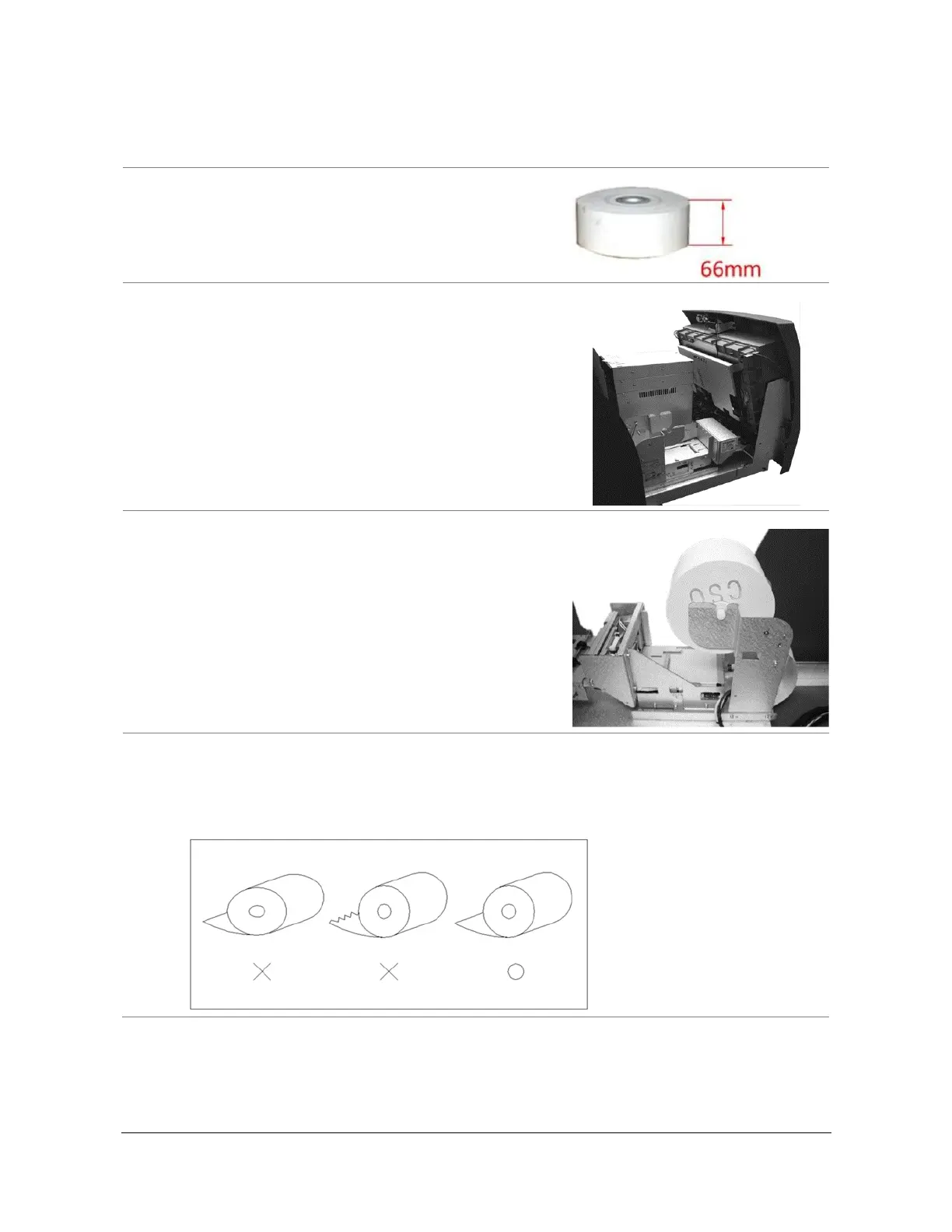
1. Check the paper roll to ensure you have the
appropriate type of paper. The roll should be 66mm in
width and coated side out (CSO).
2. Open the front panel. (See Opening the Front Panel
on page 11.)
3. Place the paper onto the supplied spindle with the
coated side out, as shown in the picture. Feed the
paper through the back, where it will curl back under
the tension bar.
4. Prepare the new paper roll.
Note:
Make sure the roll is in its proper roll form. (A deformed roll may cause jamming problems.)
When replacing the new roll, make sure the end of the roll paper is clean-cut.



 To Next Page