LSA6000 User Manual, March 2021 22
© 2017 Global Payments Inc.
CONFIDENTIAL
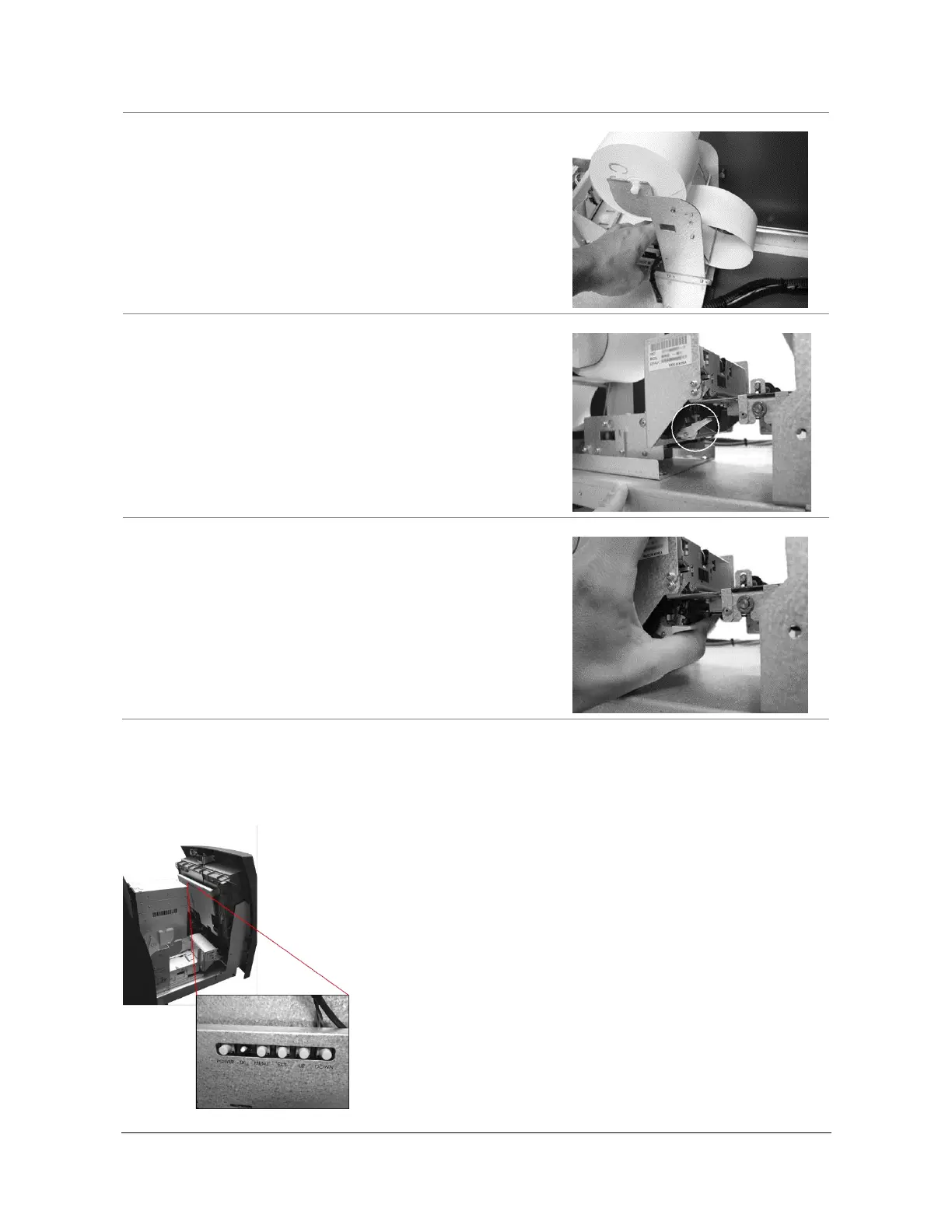
5. Feed the paper over the bar behind the roll and under
the spring-loaded tension bar.
Slide the paper through the guides. The paper will not
feed until the machine is initialized (powered on). If the
paper does not feed, make sure the paper is all the
way in the loading guide. Also make sure the roller
assembly is closed (Step 7).
6. The roller assembly can be opened by pressing down
on the green lever in front of the printer.
7. To close the roller assembly, lift the rollers. The roller
assembly must be completely closed before the printer
will operate. Press up on the roller assembly rather
than on the green lever to close.
When finished loading the paper, close the top bezel
and remove the key.
Adjusting the LCD Panel
The rear of the LCD panel contains controls to adjust the main LCD panel for brightness, contrast and sharpness.
The panel is pre-configured from the factory, and adjustment should not be required. Press Menu to open the on-
screen options.



 To Next Page