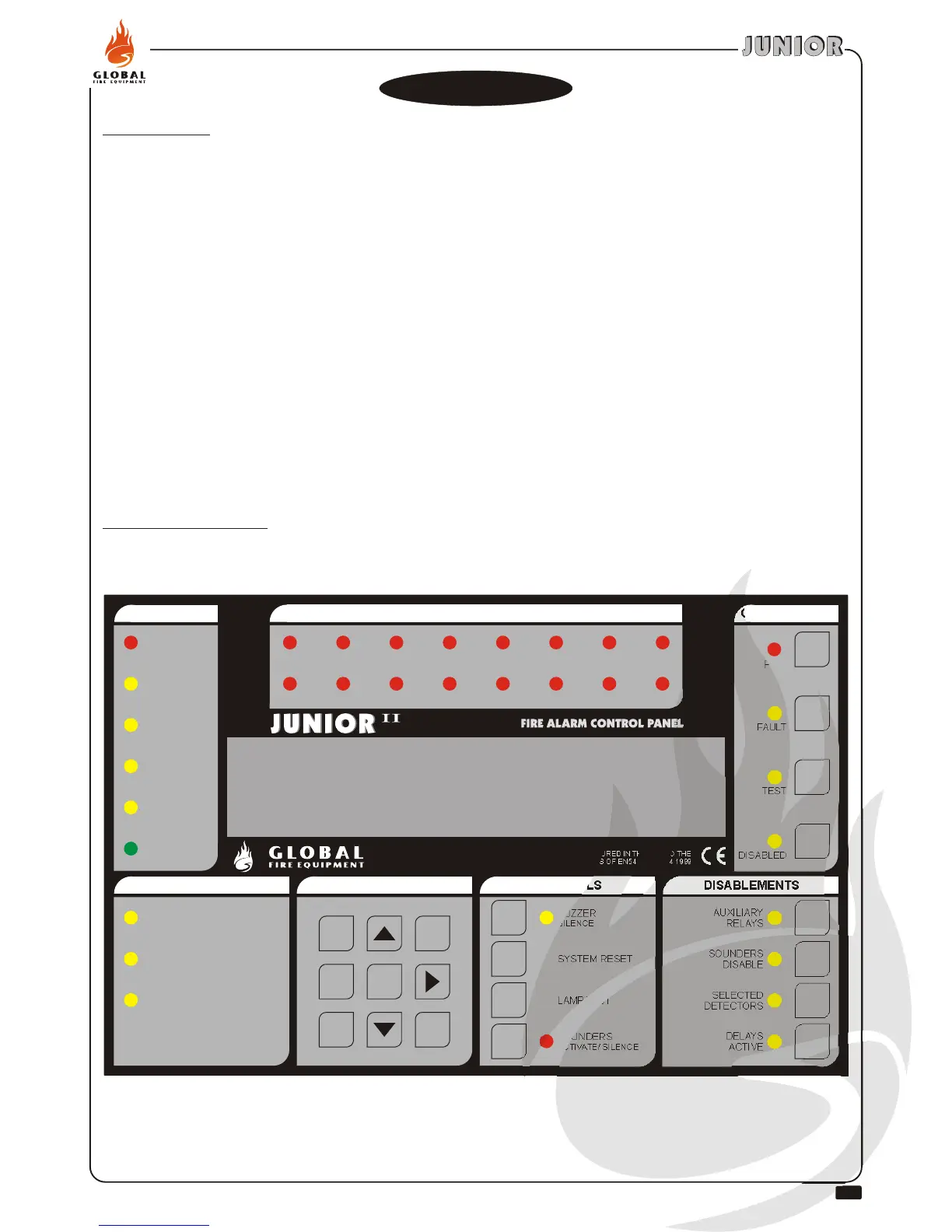
STATUS
QUEUE REVIEW
FAULTS
KEYPAD
CONTROLS
DISABLEMENTS
FIRE
FAULT
PRE-ALARM
TEST
DISABLED
SYSTEM ON
ALARM FAULT
SUPPLY FAULT
SYSTEM FAULT
ENTERESC
DELAYS
ACTIVE
SELECTED
DETECTORS
SOUNDERS
DISABLE
AUXILIARY
RELAYS
SOUNDERS
ACTIVATE/ SILENCE
SYSTEM RESET
LAMP TEST
BUZZER
SILENCE
DISABLED
TEST
FAULT
FIRE
MANUFACTURED IN THE E.U. TO THE
REQUIREMENTS OF EN54 Pt 2 & Pt 4 1999
ZONES
1 2
3
4
5
6
7
8
9 10
11
12
13
14
15
16
28
INSTALLATION & COMMISSIONING MANUAL - REVISION 1.0 - 19.FEB.2007
Introduction
Commissioning involves checking that all connections have been made properly and that all hardware is
functioning correctly. This means the system must first be installed in accordance with the previous section
of this manual.
The panel is supplied set to ‘Installation mode’. In Installation Mode the green SYSTEM ON LED will flash
on and off. The panel will automatically detect and memorize all the devices connected to the loop in the
system.
The default settings of the system mean that the unit will be ready to operate and detect a Fire incident from
the moment power is switched on. Therefore, the system will be fully functional without any additional
setting up. All further actions will tailor it to the requirements of the specific installation at hand.
Once the connections and hardware have been checked it is possible to get the basic fire alarm system up
and running very quickly - it is only necessary to have the system in Installation Mode for 90 seconds then
set the system to ‘Active Mode’. Programming of the system to provide more advanced functionality is
covered in the next section.
.
.
.
.
.
The Panel Buttons
COMMISSIONING


 To Next Page