CONTENTS
64
INSTALLATION & COMMISSIONING MANUAL - REVISION 1.0 - 19.FEB.2007
CONTENTS
ADVANCED
FUNCTIONALITY
The PC Loader Software
The PC Loader software is runs under Windows (98, 98SE, Me, 2000 and XP). Communications to the
panel is through one of the serial communication ports (COMM PORT) and in order to install it, the only
requirement is to double click on the installer package supplied and follow the supplied instructions.
Windows COMM PORT Set-up
Please consult our other document entitled "LOADER SOFTWARE" for more detailed instructions.
The Panel
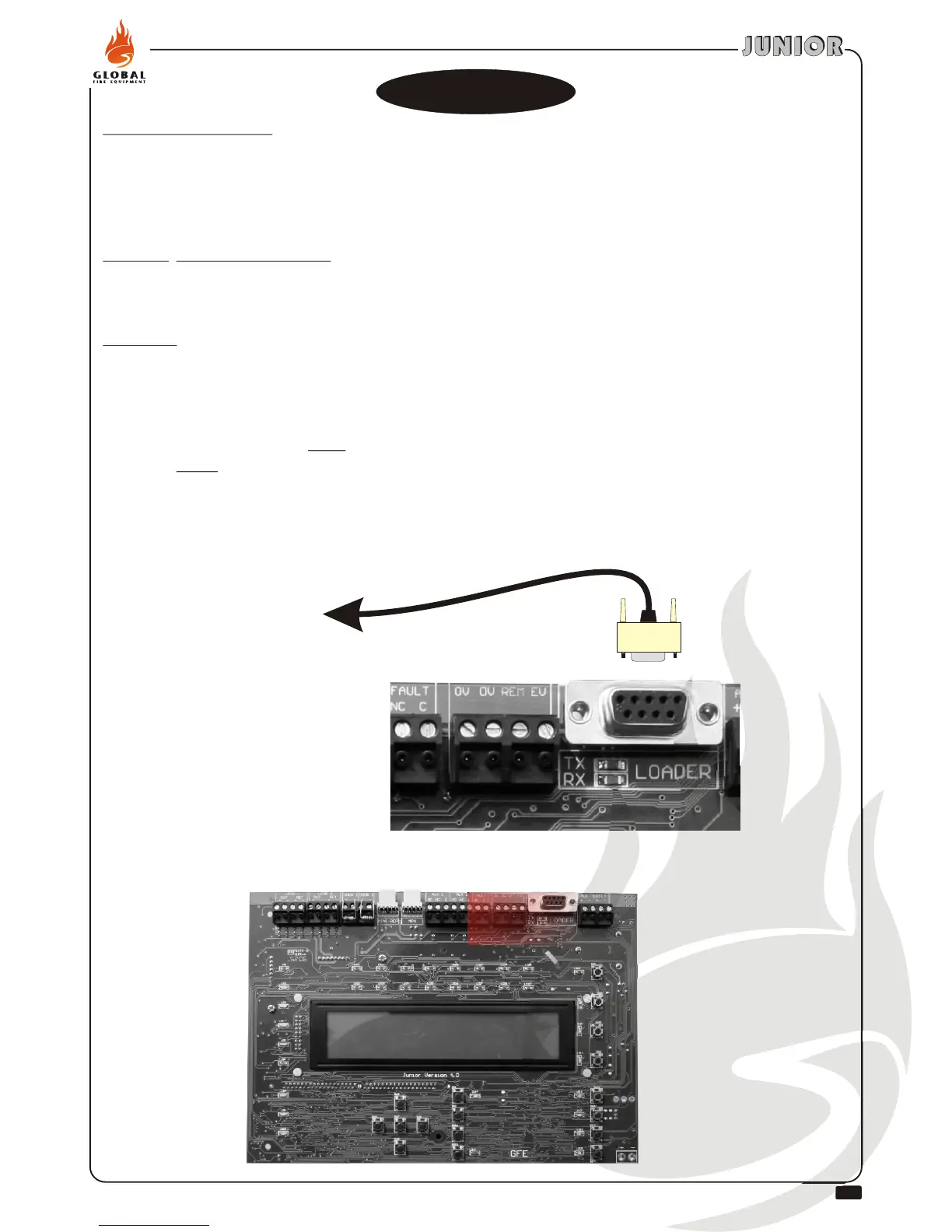
Before connecting the extension RS232 lead, disconnect the power to the panel.
Connect the RS232 lead to the panel socket, reapply power to the panel, return to programming mode
and go to function 8-4-2 do NOT press Enter yet. Connect other end of RS232 cable to PC serial port,
now press Enter on the panel.
Once you have entered the loader program in the PC and selected upload/download, press the ENTER
key in the panel to start the process, and then start the upload/download on the PC.
®
®
TO PC RS232 PORT
EXTE
NSION
RS23
2 (MA
LE-FEMALE
)


 To Next Page