NOTE:
A SYSTEM RESET will clear all test modes.
30
INSTALLATION & COMMISSIONING MANUAL - REVISION 1.0 - 19.FEB.2007
COMMISSIONING
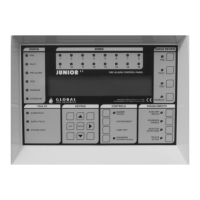
FIRE (QUEUE REVIEW) - General User Access (no code entry required)
If more than one fire has been detected then the LED next to this button will flash. Press the button to step
through all detected fires. Once all fires have been reviewed the LED will be constantly illuminated.
Subsequent fires will be added to the end of the queue and the LED will start to flash again.
After each button press the information will be displayed for 20 seconds. After that time the screen will
revert back to the first fire.
FAULT (QUEUE REVIEW) - General User Access (no code entry required)
If more than one fault has been detected, or if a fault and fire have been detected, then the LED next to this
button will flash. Press the button to step through all reported faults. Once all faults have been reviewed the
LED will be constantly illuminated. Subsequent faults will be added to the end of the queue and the LED will
start to flash again.
After each button press the information will be displayed for 20 seconds. After that the screen will revert
back to the first fault (or fire).
TEST (QUEUE REVIEW) - General User Access (no code entry required)
If the LED next to this button is illuminated then a test mode has been selected via the programming menus.
Pressing the button will show which sounders and zones have been set to test mode. If there are more zones
under test than can be displayed then pressing the button again will show the next set of zones under test.
The information is displayed for 15 seconds before the default display is restored.
DISABLED (QUEUE REVIEW) - General User Access (no code entry required)
If the LED next to this button is illuminated then there is at least one disablement active in the system.
Pressing the button will display the disablements. If there are more disablements that can be displayed then
pressing the button again will show the next set of disablements and so on.
The information is displayed for 15 seconds before the default display is restored.
Possible disablements include - auxiliary relays, loops, zones, detectors and sounders.
The Panel Buttons (cont...)


 To Next Page