www.glutz.com
- 20 -
4.5 Deleting a medium with media ID
Operation
Application
This process can be used if a medium is lost and needs to be deleted. The media ID is required for this. The
medium can be deleted using the number cards.
Description
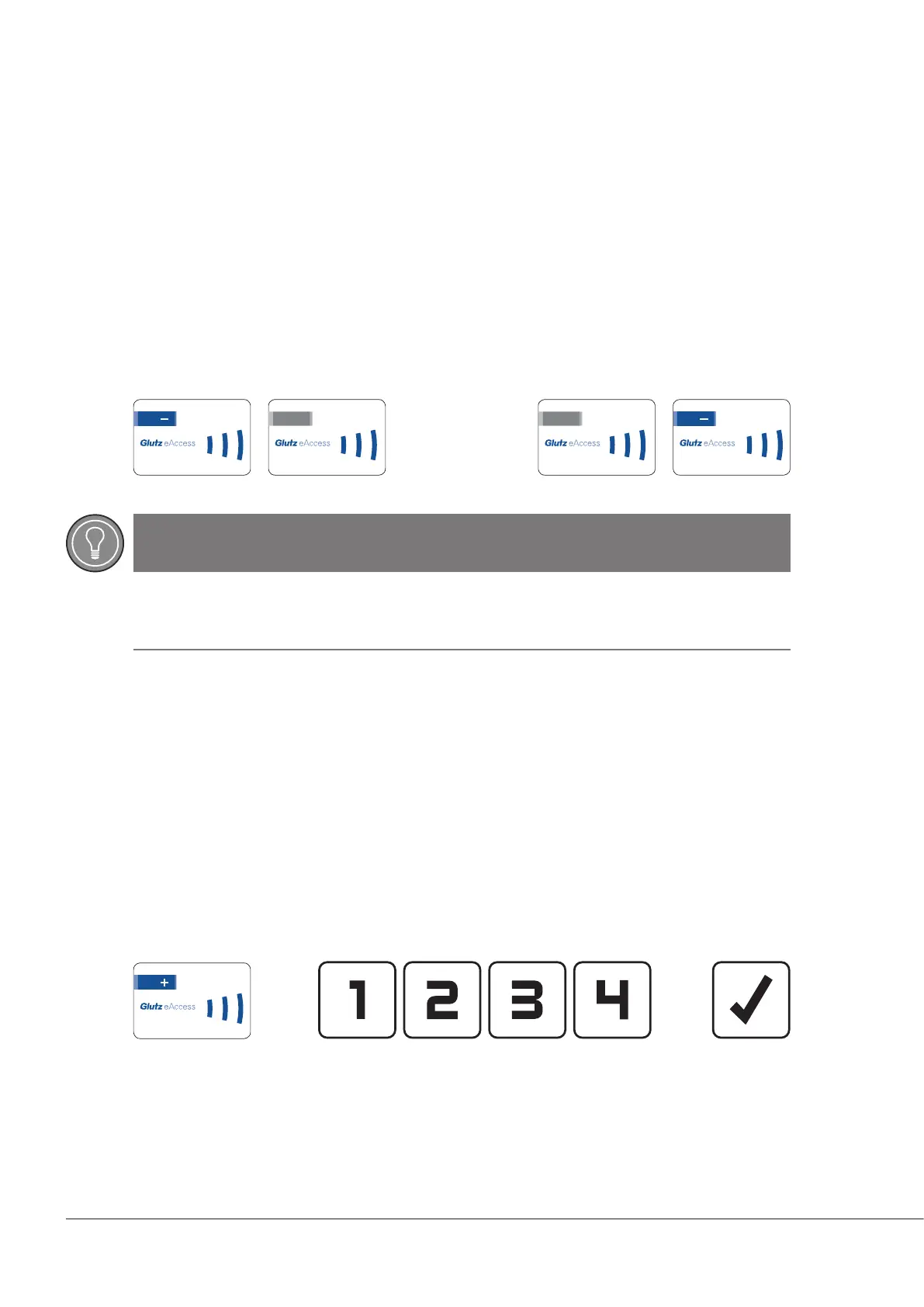
By presenting the minus card, the device switches to programming mode and the user medium can be de-
leted using its media ID.
Present the number cards one after another, with a gap of no more than 10 seconds between each one oth-
erwise the process will be aborted. The process should be conrmed using the minus card.
Card order:
4.6 Adding a code
Application
If a code needs to be added to an E-reader, this can be done using a combination of cards and keys.
Description
By presenting the plus card, the device switches to programming mode and a new code can be added. After
showing the plus card, enter the new code.
If a dynamic code length is used, it must be conrmed with the OK key.
Card/key order:
...
* only necessary if a dynamic code length has been programmed. For a xed-length code (e.g. 4-digit), the
conrmation is not necessary.
*
123.456.789.0 123.456.789.0
123.456.789.0
8.5 3
123.456.789.0
8.6 6
123.456.789.0
TIP
Complete input
All 10 digits of the media ID must be presented, including the zeros.


 To Next Page