- 21 -
Operation
4.8 Delete all identification media
Application
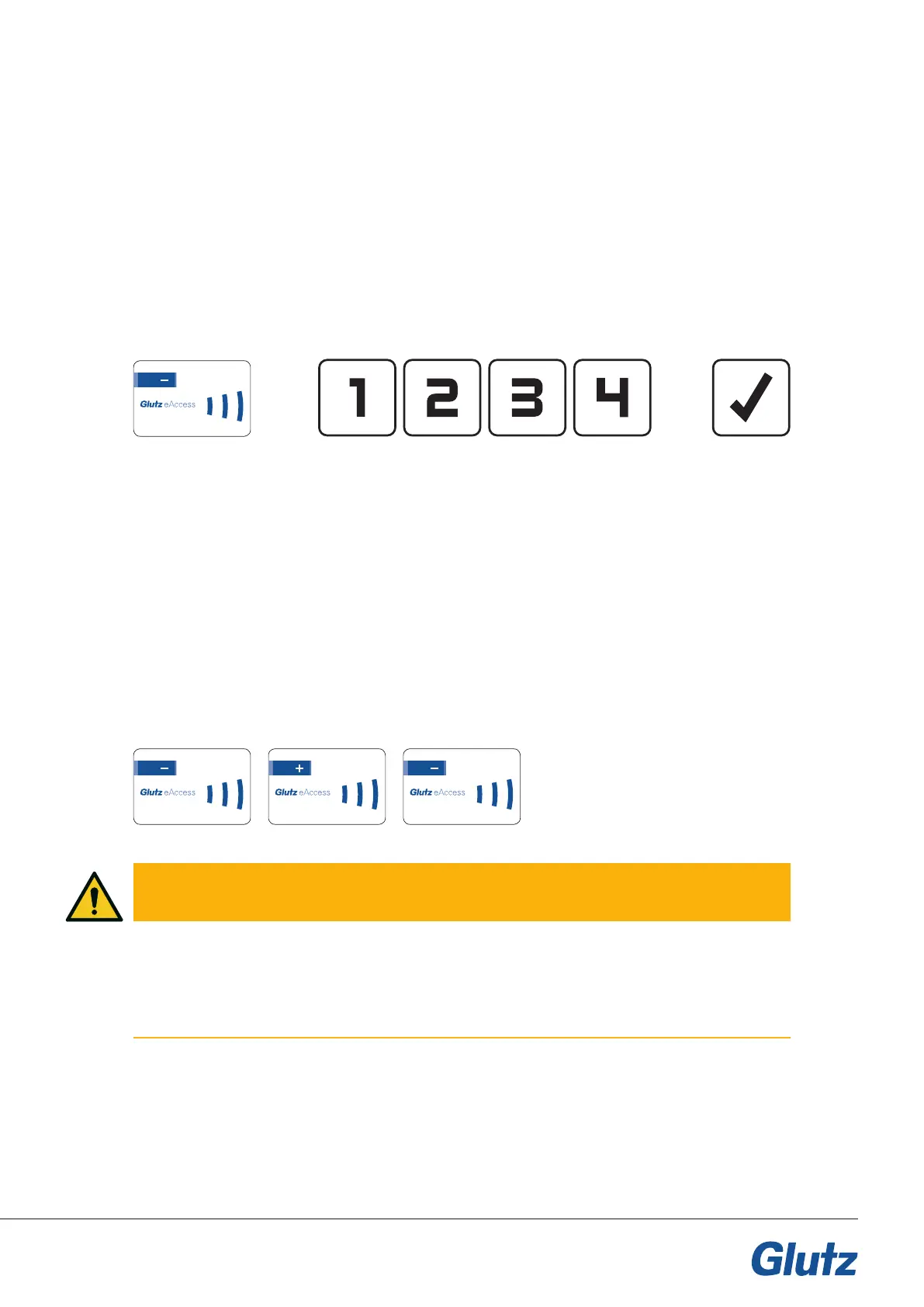
If a code needs to be deleted from an E-reader, this can be done using a combination of cards and keys.
Description
By presenting the minus card, the device switches to programming mode and the code can be deleted. After
showing the minus card, enter the code to be deleted.
If a dynamic code length is used, it must be conrmed with the OK key.
Card/key order:
Application
If all identication media need to be deleted from a device, this can be done using the plus/minus cards.
This process removes all identication media (RFID media, codes, etc.).
Description
By presenting the minus card, the device switches to programming mode. Present the plus card. This pro-
cess must be conrmed using the minus card.
All identication media are now removed.
The device remains in SINGLE operating mode.
Card order:
4.7 Deleting a code
CAUTION
Risk of lock out
If the system is in Single mode and all identification media are removed, the device remains in secure oper-
ation and there is a risk of being locked out. At least one identification media should always be left active or
it must be ensured that the (*, +, -) cards are available.
123.456.789.0
123.456.789.0 123.456.789.0123.456.789.0


 To Next Page