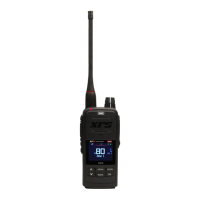
XRS-330C
16
DYNAMIC VOLUME CONTROL (DVC)
The modulation level of signals heard on the UHF CB band has always varied
considerably resulting in noticeable dierences in received audio volume between
stations.
Generally, users have compensated for this by adjusting the Volume control for
each incoming signal.
With the introduction of 80 channel narrow band transmissions that use lower
levels of modulation, the dierences in received audio volume is likely to increase
further.
Your XRS Connect radio is able to automatically compensate for these variations
by utilising a Dynamic Volume Control. When activated through the menu, this
feature automatically compensates for variations in received audio level resulting
in a constant audio output level to the speaker.
To activate/deactivate Dynamic Volume Control:
1. Press the MENU key.
2. Navigate through the menu to select RADIO SETTINGS > DYNAMIC
VOL.
You can use the MENU key to turn this function on or o.
SELECTING THE ACTIVE SPEAKER
The XRS-330C has a speaker mounted inside the microphone and support for
connecting an external speaker.
By default, sound is reproduced by both speakers; however if you prefer, one of
these speakers can be switched o, leaving either the microphone’s speaker or
the external speaker to reproduce sound.
To select speakers:
1. Press the MENU key.
2. Navigate through the menu to select RADIO SETTINGS > SPEAKER.
You can use the
or key to select an option.



 To Next Page