XRS-330C
57
NET-SCAN
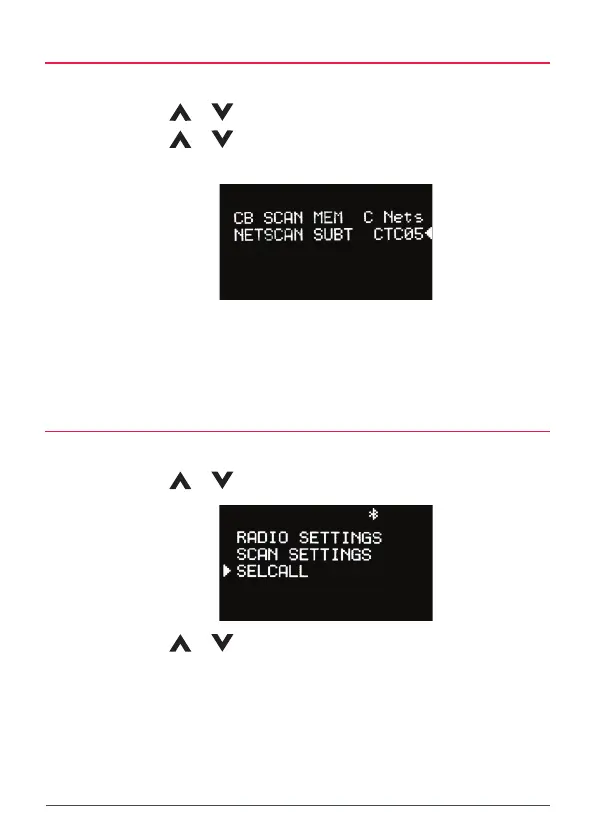
To use Net-Scan you must also select a CTCSS or DCS sub-tone.
1. Use the
or keys to select NETSCAN SUBT then press MENU.
2. Use the
or keys to scroll through the list of sub-tones then
press MENU to select.
NOTE: If you select Netscan as your CB Scan Memory without selecting a sub-
tone, you will not be able to scan. Pressing the SCAN key will produce a low ‘error’
beep.
SELCALL
1. Press the MENU key.
2. Use the
or keys to select SELCALL then press MENU.
3. Use the
or keys to select the available options.
• Select MAKE SELCALL to enter and send a SelCall number.
• Select Last to resend or save the last SelCall number you sent.
• Select Own to edit your radio’s own SelCall number. Continue
scrolling downwards to access a further 20 user programmable
SelCall memories.



 To Next Page