XRS-330C
58
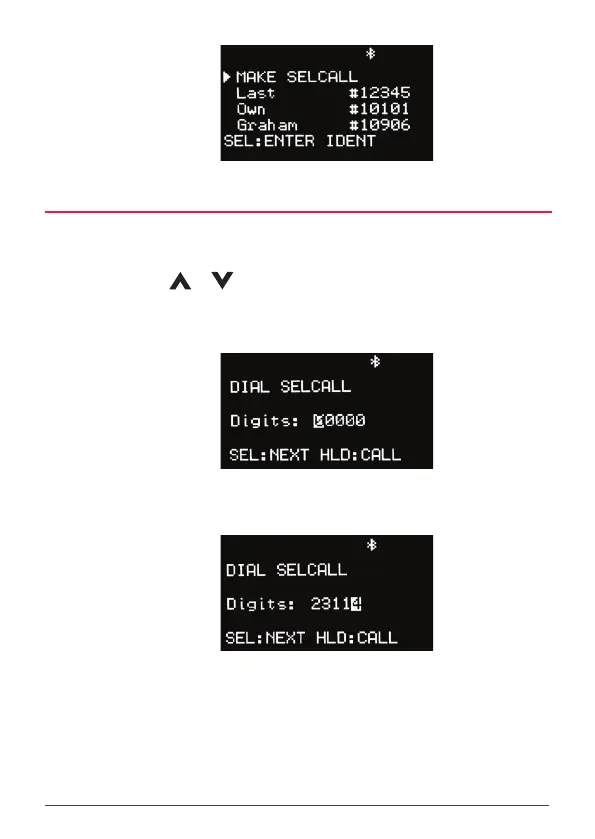
MAKING A SELCALL
1. To enter and send a SelCall number, select MAKE SelCall and press
MENU [SEL:ENTER].
2. Use the
or keys to change the digit at the cursor position.
3. Press MENU [SEL:NEXT] to step forward to the NEXT digit position or
BACK to step back to the previous digit position.
4. Continue until all 5 SelCall digits have been entered. Hold MENU
[HLD:CALL] to send.



 To Next Page