XRS-330C
48
EDIT EXISTING CHANNELS IN A ZONE
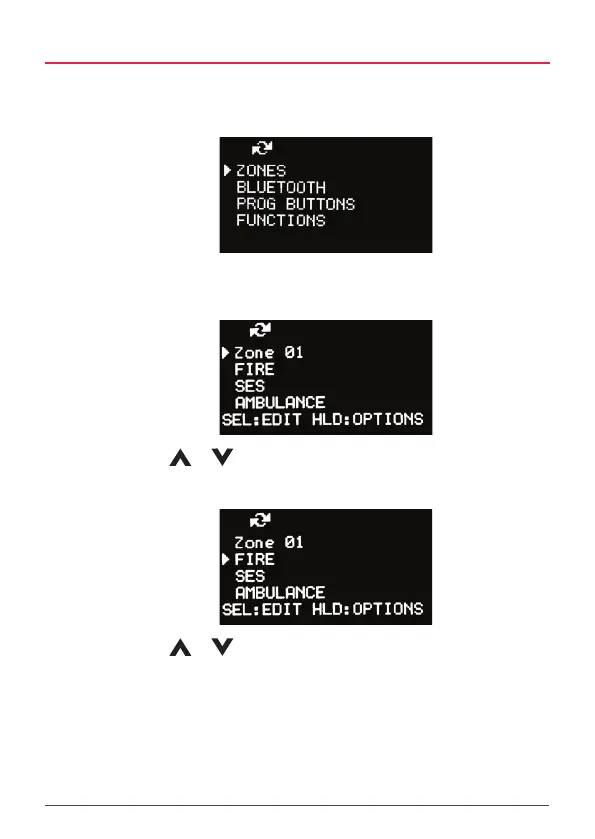
1. Press the MENU key.
2. Select ZONES and press MENU.
3. Select the desired Zone from the Zone list and hold MENU [HLD:EDIT]
to edit the zone.
4. Use the
or keys to select a channel
5. Hold MENU [HLD:OPTIONS] for the Options menu.
6. Use the
or keys to select from the options list them press
MENU.
• Select Go Channel to jump to the select channel
• Select Del Channel to delete the selected channel
• Select Add Channel to add a new channel
• Select Edit to edit the selected channel



 To Next Page