XRS-330C
61
ADDING A NEW CONTACT TO THE SELCALL MEMORY
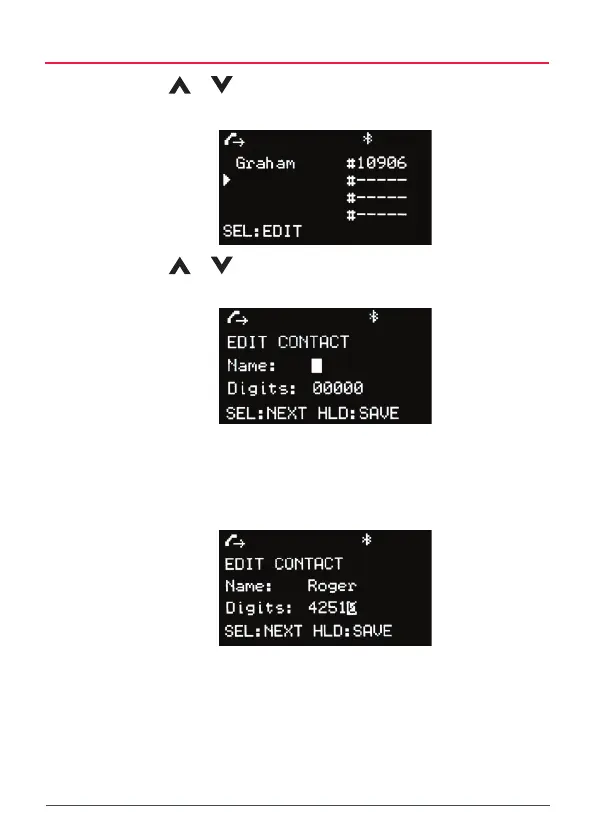
1. Use the
or keys to scroll to an empty SelCall memory then
press MENU [SEL:EDIT] to edit.
2. Use the
or keys to change the letter or number at the cursor
position.
3. Press MENU [SEL:NEXT] to step forward to the NEXT character or
digit position or the BACK key to step back to the previous character
or digit position.
4. Continue until the required name and SelCall number has been entered
then hold MENU [HLD:SAVE] to save the new number.



 To Next Page