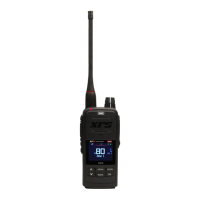
XRS-330C
55
Radio Setting Options Table
Menu DESCRIPTION OPTIONS
AUTO POWER Turns the radio o after a time period specied
by the user.
None/30-180
ON/OFF
ON/OFF
BEEP VOLUME Adjusts the volume of the key press beeps. 0 to 10 [4]
BRIGHTNESS Adjusts the OLED and keypad brightness. 0 to 10 [5]
BUSY LOCK Disables the transmitter when the radio is busy
to prevent you from transmitting over the top
of other users
ON/OFF [OFF]
CB SUBTONE Switches the CTCSS or DCS tone O or ON and
sets the tone frequency.
OFF [OFF]
CTC01 – CTC50
DT001 – DT104
DISPLAY Displays the supply voltage level, or the signal
strength meter reading (logarithmic/linear).
None / Volts / S-Lin
/ S-Met
DYNAMIC VOL Balances the volume level of incoming signals
so that soft and loud signals have a similar
volume.
ON/OFF [ON]
MIC GAIN Adjusts the microphone’s sensitivity. Increase
the gain for quiet voices. Decrease the gain for
loud voices or for use in noisy environments.
+0dB to +9dB [+0dB]
PRIORITY CH Sets the channel that is selected when the PRI
key is pressed.
CB01 – CB80 [CB01]
ROGER BEEP Automatically transmits a tone whenever the
PTT is released.
ON/OFF
SCRAMBLER Enables/Disables the Scrambler option ON/OFF [OFF]
SPEAKER Selects which speakers are in use. Sounds
can be heard through radio speaker only,
microphone speaker only, or both speakers
at once
Radio, Mic, Both
[Both]
SQUELCH
LEVEL
Adjusts the present squelch level. 1 to 9 [2]
SQUELCH TAIL Enables/Disables the squelch tail. When set to
OFF the squelch tail is silent.
ON/OFF [ON]
SELCALL ACK Enables/disables automatic transmission of an
acknowledge beep when your SelCall Ident is
received.
ON/OFF



 To Next Page