7
2 Printer Setup
2.3 Battery Charging
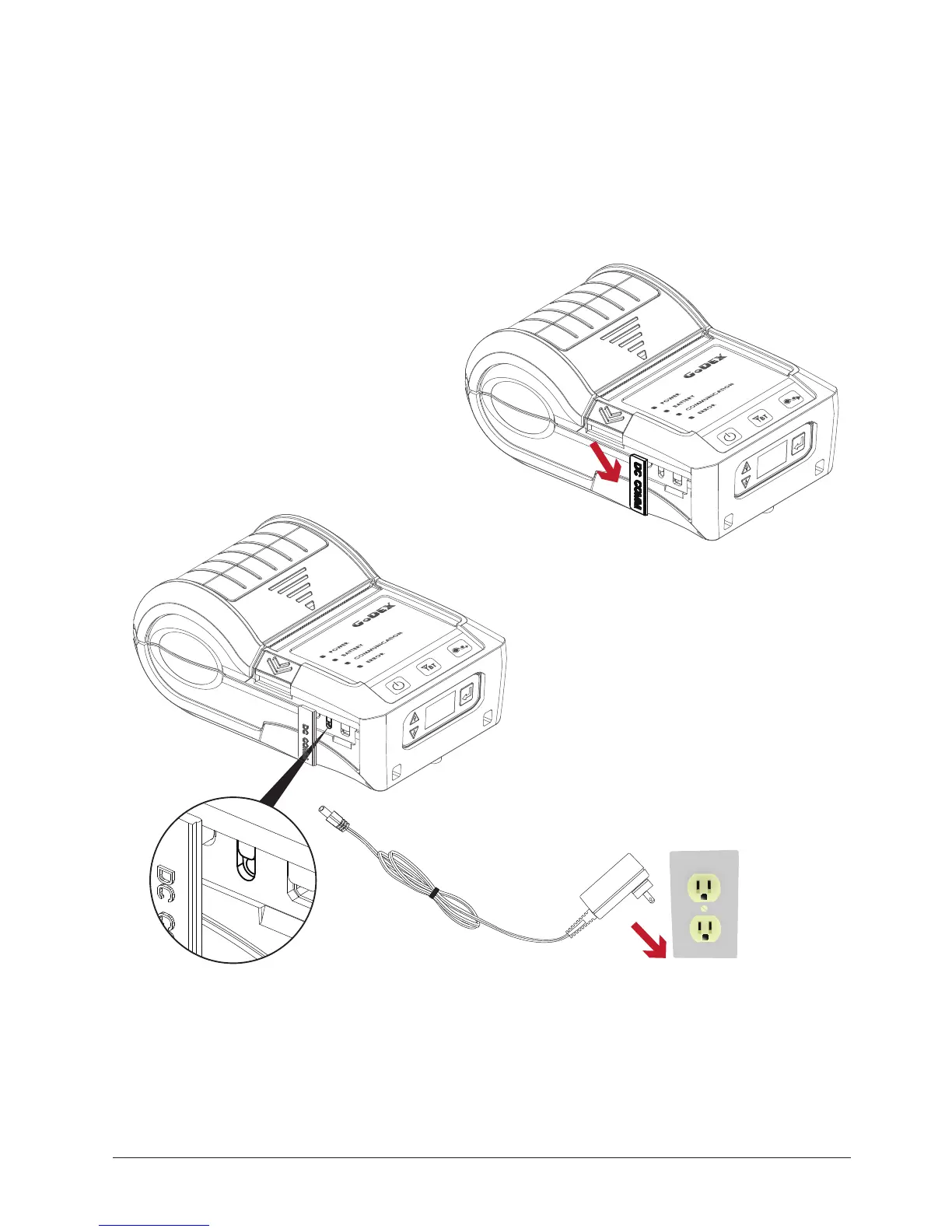
1. Please make sure that the printer is switched off.
2. Connect the jack of the power adapter to the printer and connect the plug of the power adapter to the socket
of the wall.
3. Turn on the printer. The operator panel should now light up.
Open the external interface cap.
* Charge the battery around 3 hours before use please. Charging the ambient temperature at 0℃ ~ 40℃.
** Closed the external interface cap when printer do not connect an adapter or cable for avoid dust away.
Note



 To Next Page