9
2 Printer Setup
2.5
Wizard CD Standard Installation
* If the Super Wizard program did not run automatically, you can either turn on the “Auto-run” setting for
your CD/DVD driver or double-click the icon of CD/DVD driver to run the program manually.
Note
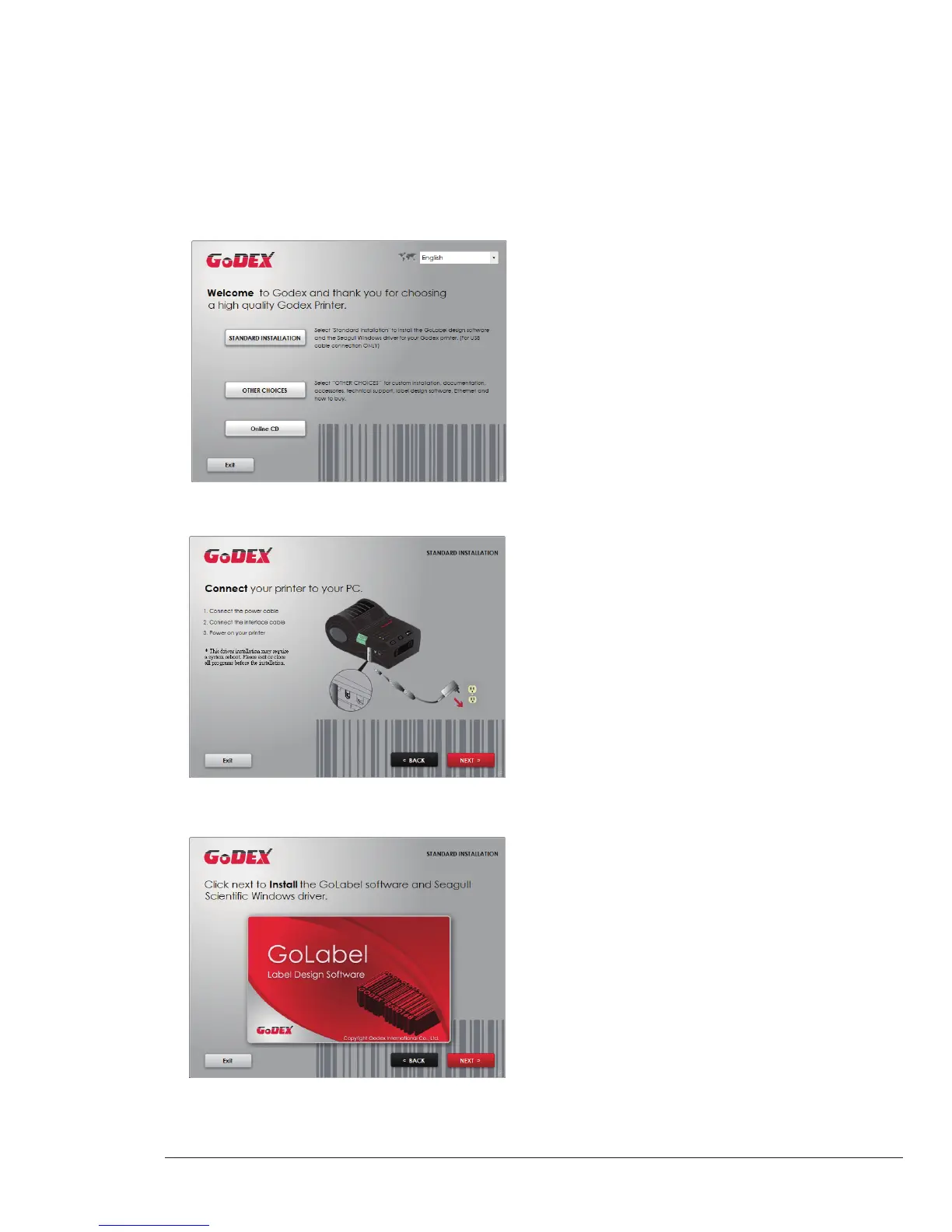
1. Insert the Super Wizard CD in the CD/DVD drive of the host computer and the installation program should pop up
automatically.
You will see the Welcome screen first. On the Welcome screen, choose “STANDARD INSTALLATION”.
2. The wizard will then ask you to make sure your USB and power cables are connected and that the power is
turned on. Then click “NEXT”.
3. The next screen you will see is, “Install the GoLabel Software and Windows driver”. Click “NEXT” to continue.



 To Next Page