MX20/MX30/MX30i
USER MANUAL
Appendix
MX 30/30i WiFi Setting
1.1
Checkt the
Wireless
Access Point Setting Value
Connect MX30/30i Wireless Module to Wireless Access Point,
and then connect the Module to the Mobile phones or computers
through network.
1.1
Checkt the
Wireless
Access Point Setting Value
Connect MX30/30i Wireless Module to Wireless Access Point,
and then connect the Module to the Mobile phones or computers
through network.
04
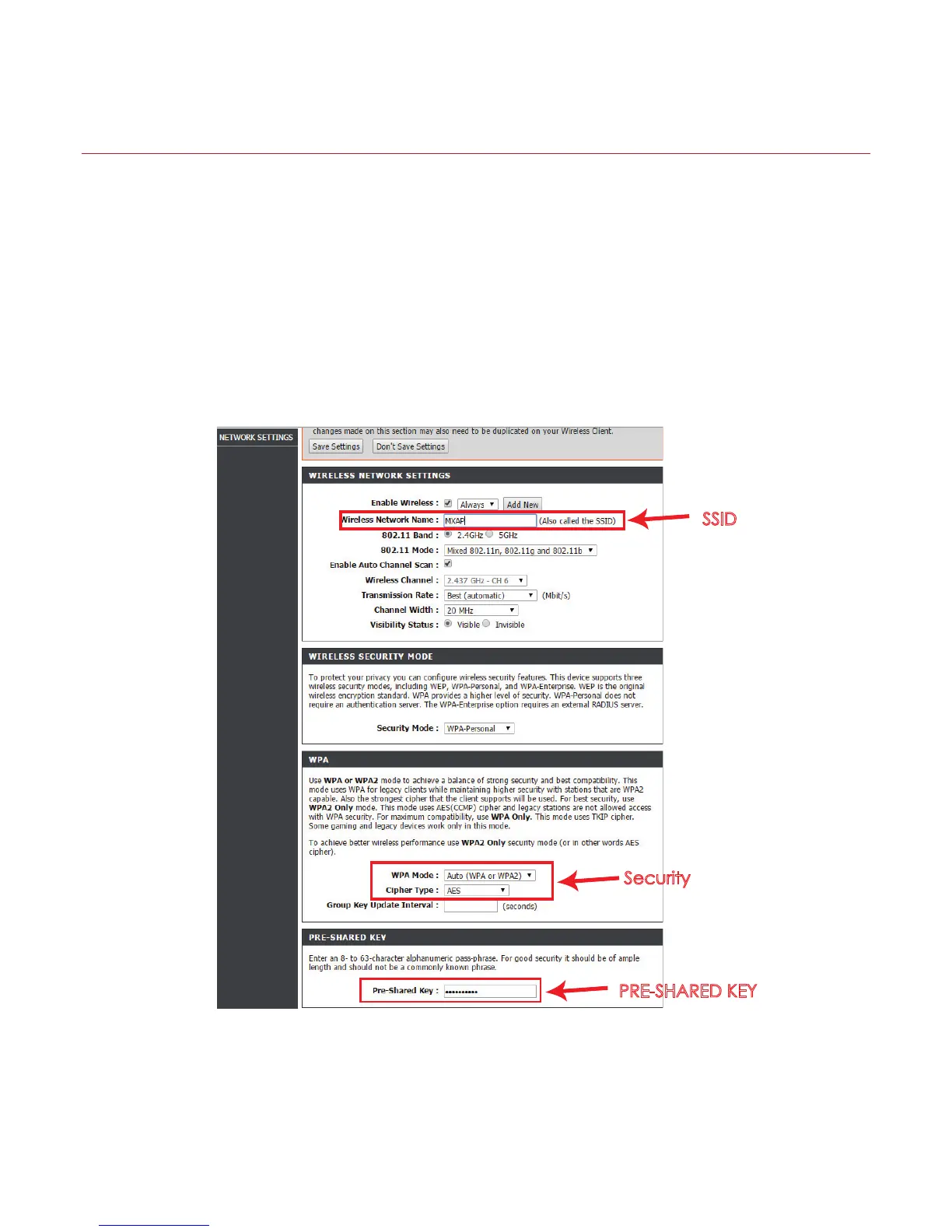
SSID
Security
PRE-SHARED KEY
About the parameters of wireless access point, please refer to the figure below ( Example : D-Link AP)



 To Next Page