4 NetSetting for Ethernet
4.2 The Interface of NetSetting
GoDEX printer can also be used through a network connection (as a remote network printer), make sure the printer
connected to the Internet and the power cord, you can use the Interface of NetSetting to search connected
network printers.
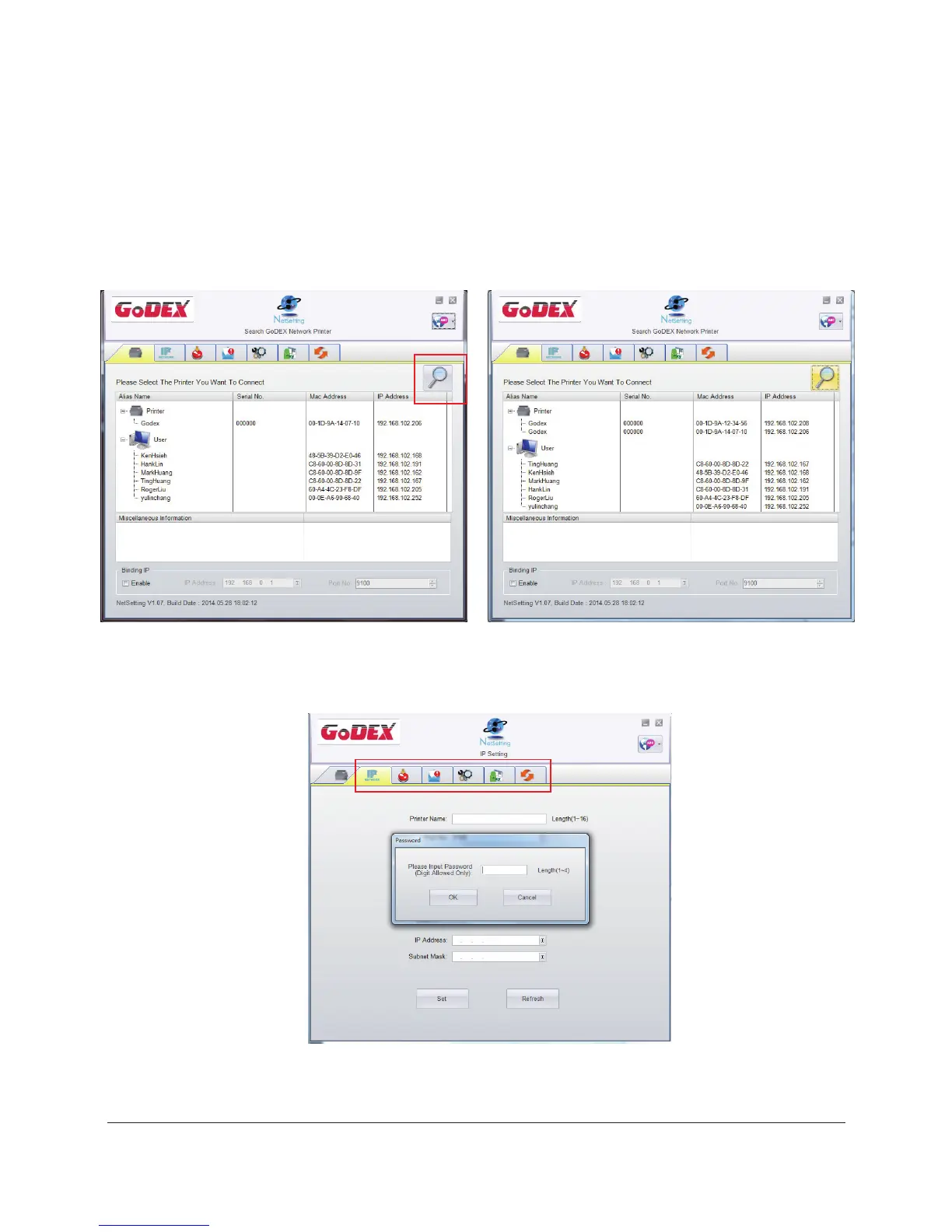
1. Click the NetSetting icon to start the program, you will see the start page as left diagram. Click the magnifier icon
to search the Godex printers which are connected via Ethernet port in you network environment (as right diagram).
2. There are six tabs on the top of interface which can configure different types of network settings. But for the data
security reason, you need correct password to enter the configuration pages.
* The default password is “1111”, you can change the password later from the “IP Setting” tab.
Note
25



 To Next Page