12
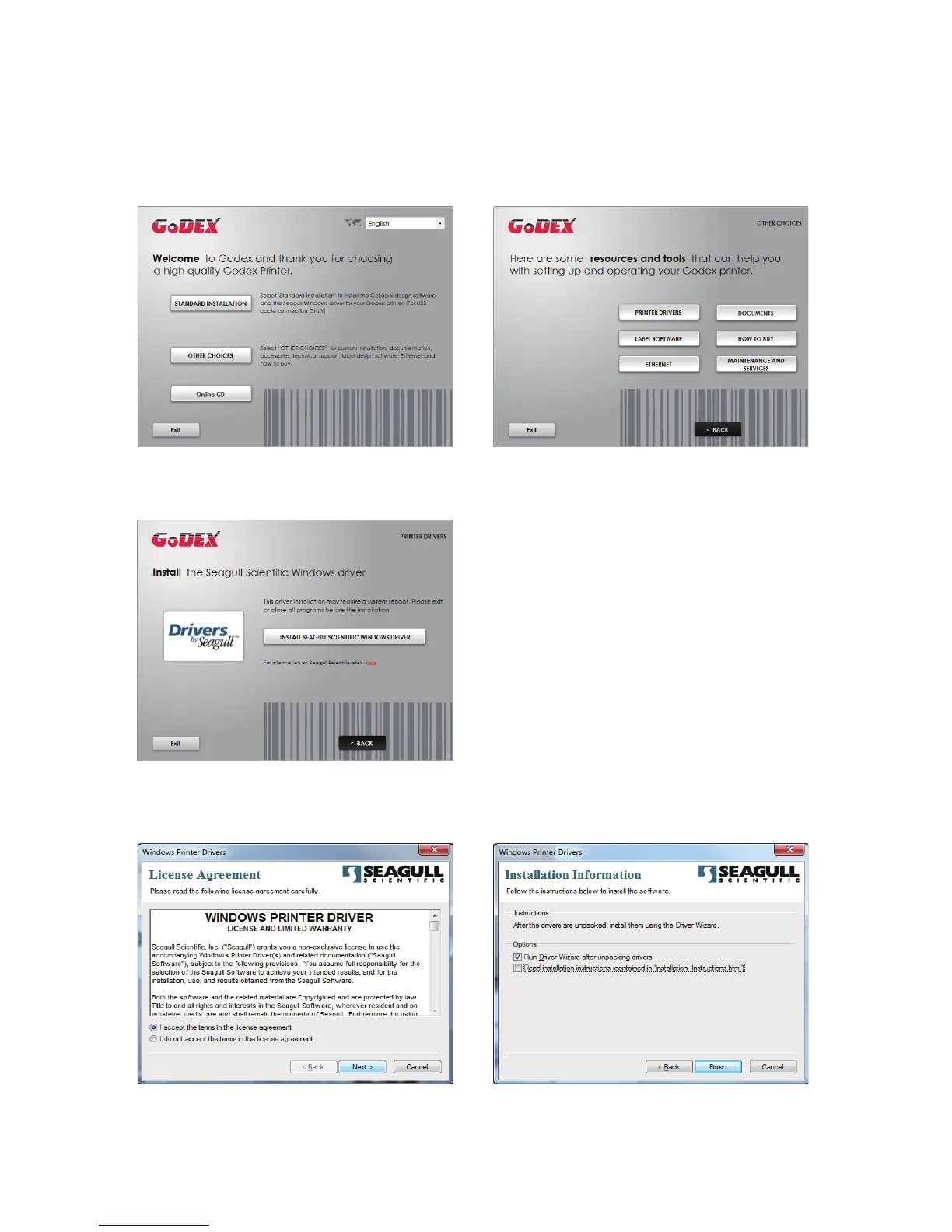
1. Click “OTHER CHOICES” to next screen and select “PRINTER DRIVERS”.
2. Click “INSTALL SEAGULL SCIENTIFIC WINDOWS DRIVER” to next screen, and click “NEXT”.
2 Printer Setup2 Printer Setup
2.6
Wizard CD Other Choice Installation
3. Select “I accept the terms in the license agreement”, and click ”Next”
,
then click ”Finish” to step 4.



 To Next Page