26
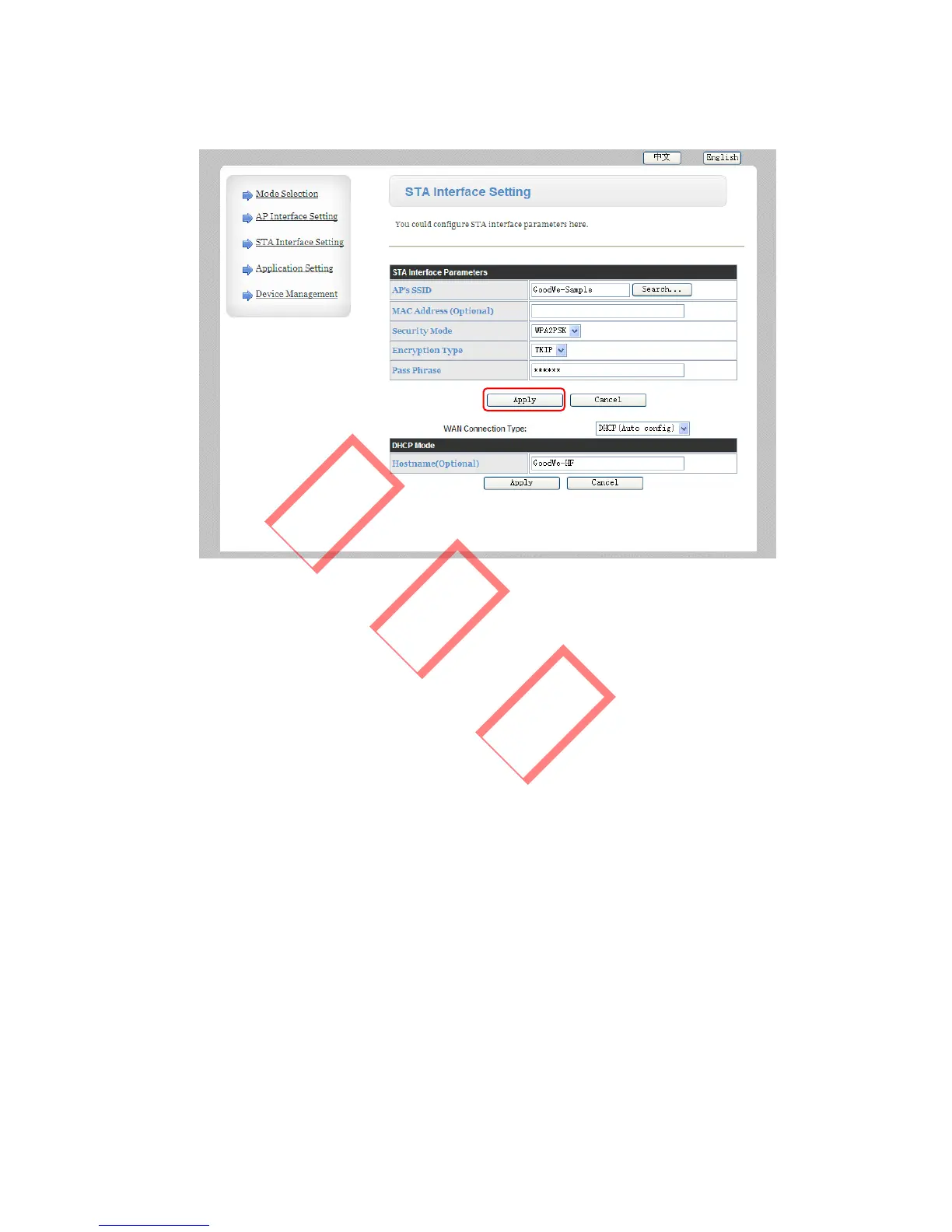
Figure 3.4.5-4
Left click “Search…” button, you will get a list of WIFI
network and choose the network of your WIFI router.
“Security Mode” and “Encryption Type” will change the same
as your router automaticly. Enter the password of your WIFI
network in “Pass Phrase” column. Do not change the “MAC
Address”, “WAN Connection Type” and “Hostname”, then
click “Apply” button as shown in picture. You will get a page
as below:



 To Next Page