-15-
3.3 RigiScan Control Window
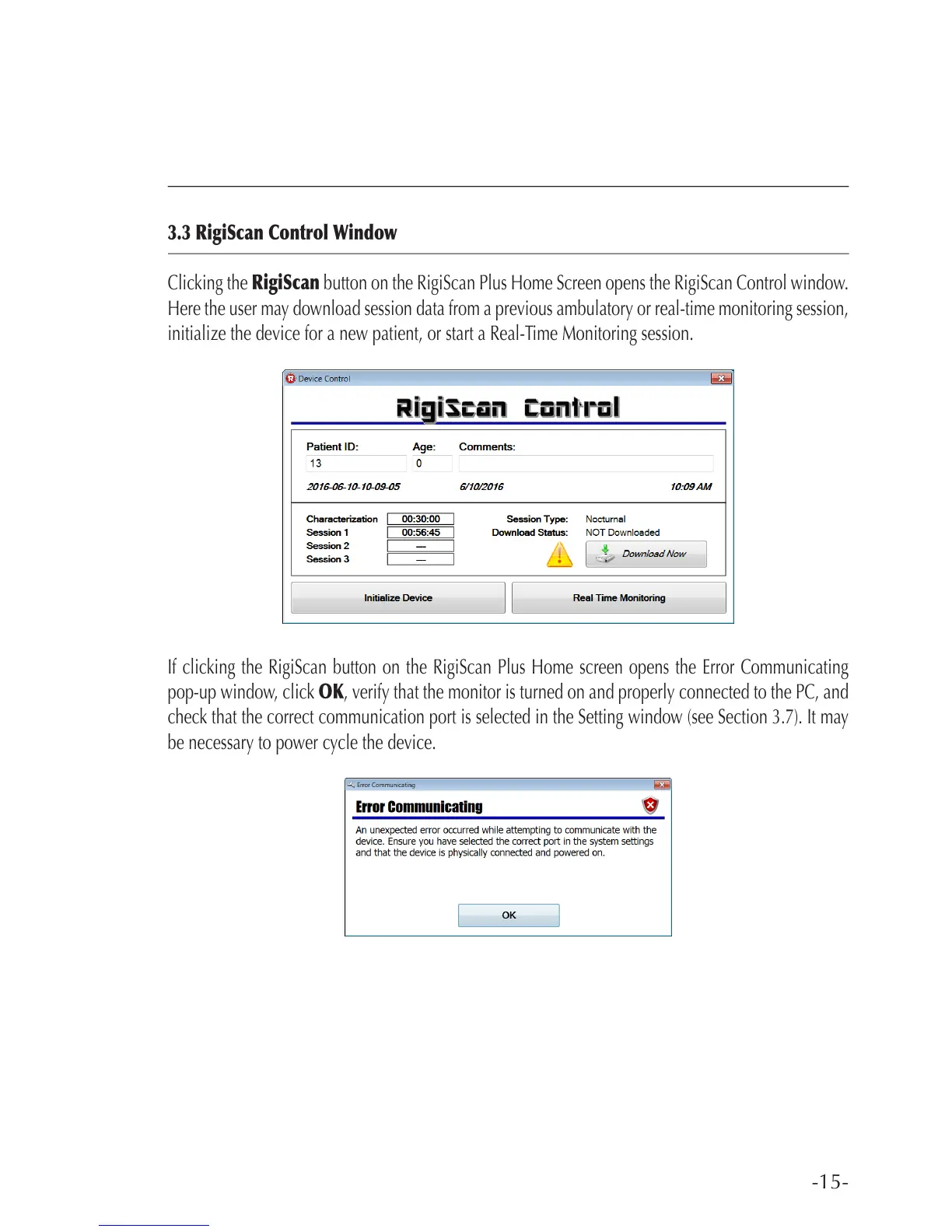
Clicking the RigiScan button on the RigiScan Plus Home Screen opens the RigiScan Control window.
Here the user may download session data from a previous ambulatory or real-time monitoring session,
initialize the device for a new patient, or start a Real-Time Monitoring session.
If clicking the RigiScan button on the RigiScan Plus Home screen opens the Error Communicating
pop-up window, click OK, verify that the monitor is turned on and properly connected to the PC, and
check that the correct communication port is selected in the Setting window (see Section 3.7). It may
be necessary to power cycle the device.



 To Next Page