-25-
3.5 Report Manager Window
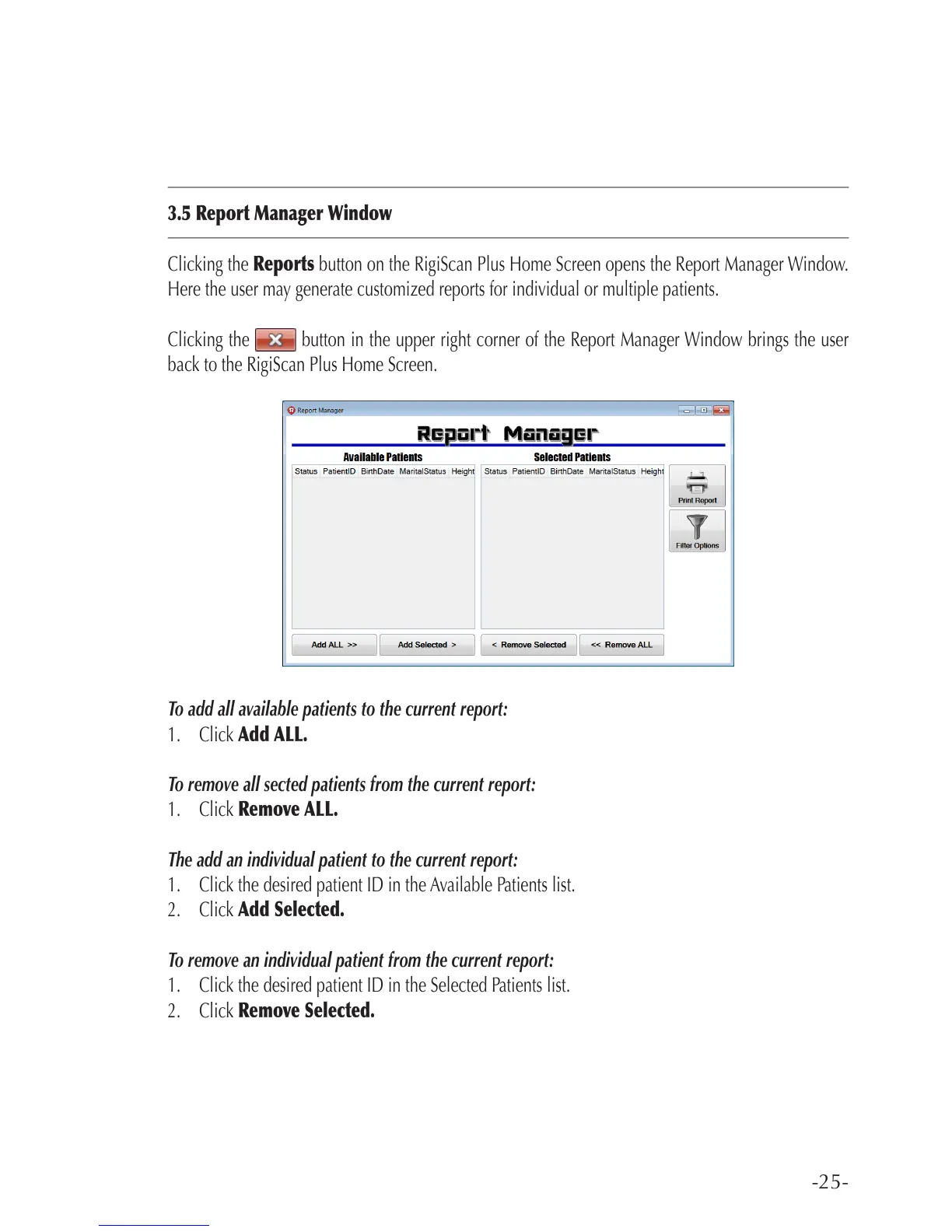
Clicking the Reports button on the RigiScan Plus Home Screen opens the Report Manager Window.
Here the user may generate customized reports for individual or multiple patients.
Clicking the button in the upper right corner of the Report Manager Window brings the user
back to the RigiScan Plus Home Screen.
To add all available patients to the current report:
1. Click Add ALL.
To remove all sected patients from the current report:
1. Click Remove ALL.
The add an individual patient to the current report:
1. Click the desired patient ID in the Available Patients list.
2. Click Add Selected.
To remove an individual patient from the current report:
1. Click the desired patient ID in the Selected Patients list.
2. Click Remove Selected.



 To Next Page