-37-
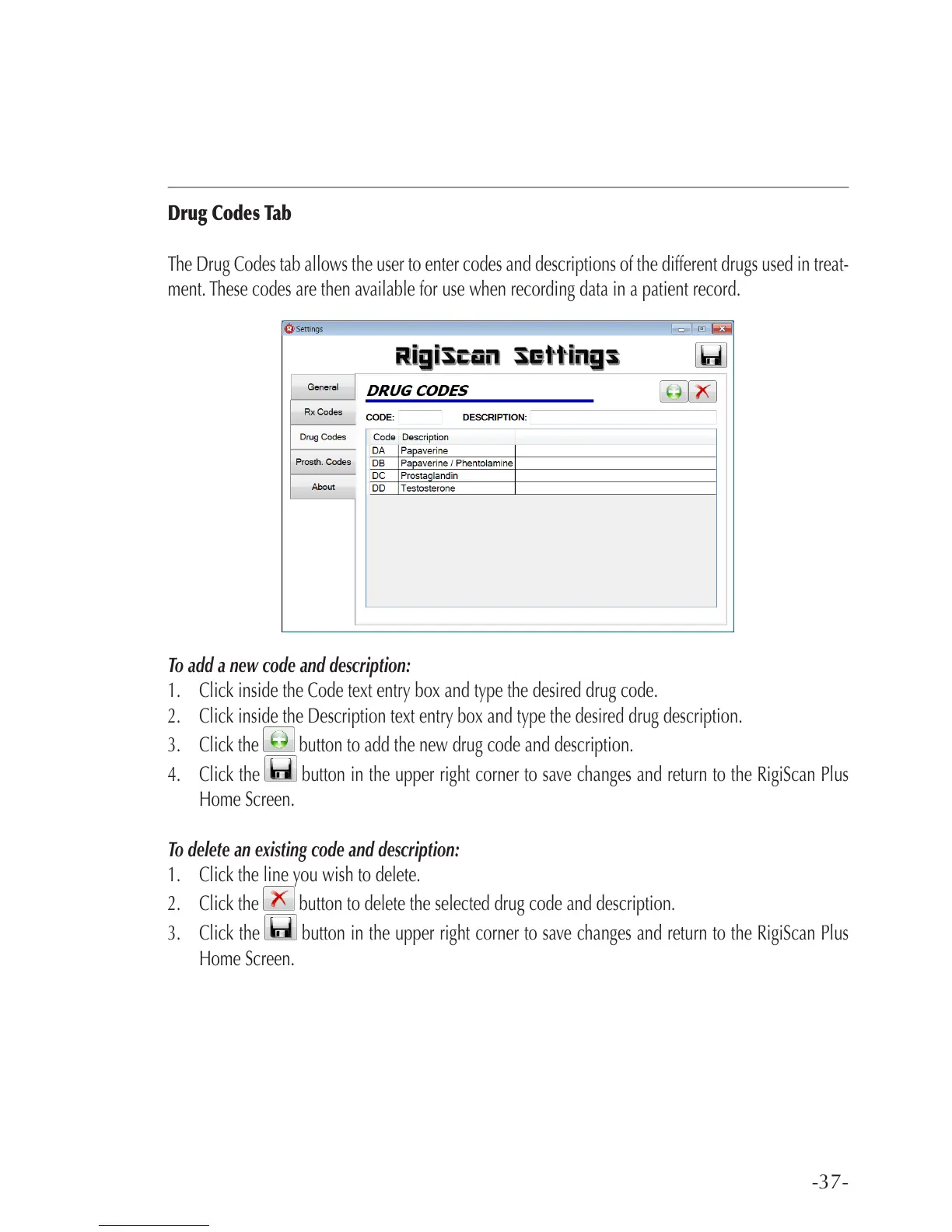
Drug Codes Tab
The Drug Codes tab allows the user to enter codes and descriptions of the different drugs used in treat-
ment. These codes are then available for use when recording data in a patient record.
To add a new code and description:
1. Click inside the Code text entry box and type the desired drug code.
2. Click inside the Description text entry box and type the desired drug description.
3. Click the button to add the new drug code and description.
4. Click the button in the upper right corner to save changes and return to the RigiScan Plus
Home Screen.
To delete an existing code and description:
1. Click the line you wish to delete.
2. Click the button to delete the selected drug code and description.
3. Click the button in the upper right corner to save changes and return to the RigiScan Plus
Home Screen.



 To Next Page