-63-
the on/off button to turn off the RigiScan Plus Monitor. You can leave the monitor off for up to fteen
minutes. Be sure to hold the leg strap and monitor in place when standing or walking. When you are
ready to go back to sleep, turn the monitor on again.
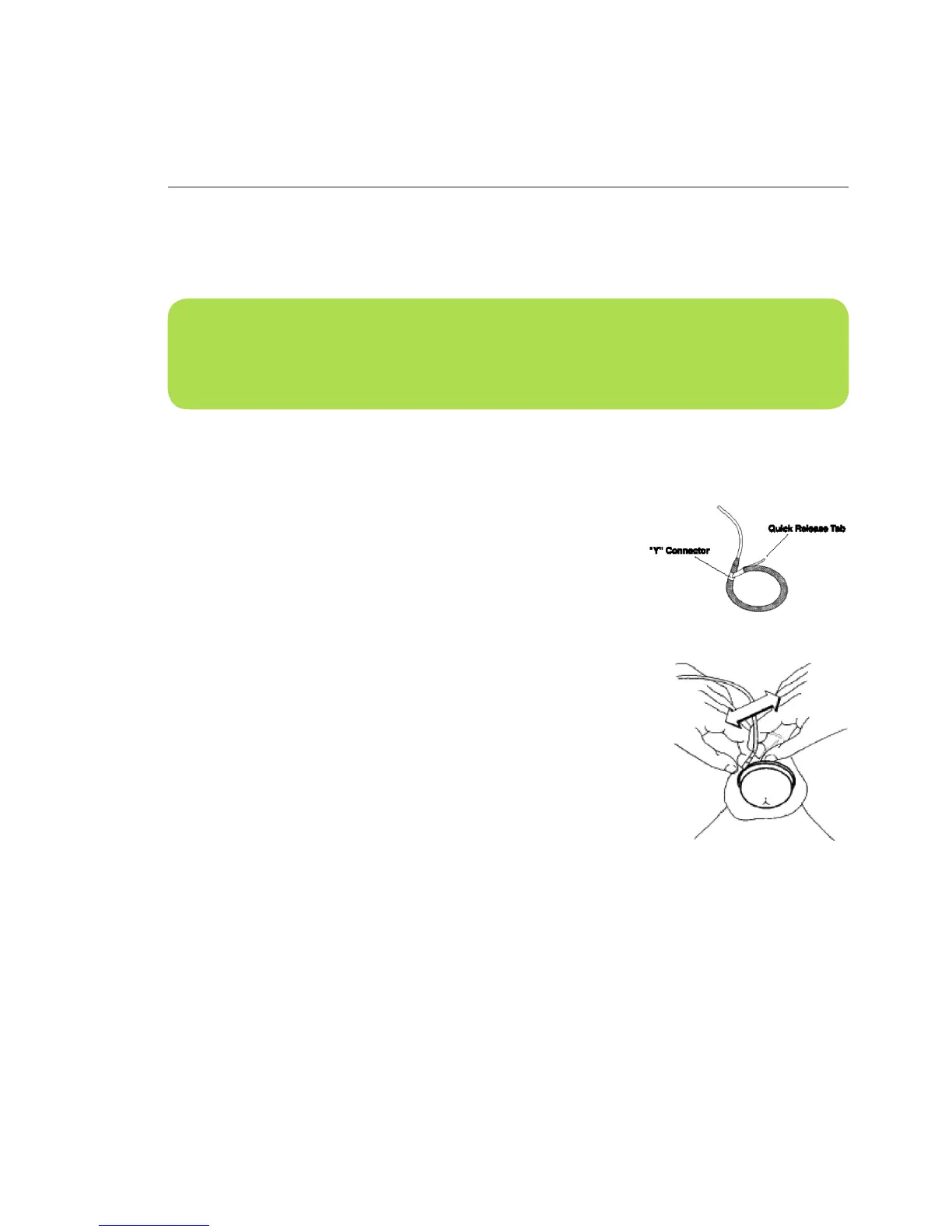
Removing the Loops Quickly
Normally, you would remove the loops by inserting your ngers
gently into the loops and pulling outward to expand the loops as
shown in Figure B-3. However, if you experience pain during testing
or want to remove the loops quickly for any other reason, you can
unsnap the loops with the quick release tab. To do this, follow these
steps (see Figures B-5A and B-5B).
1. With one hand, grasp the loop at the “Y” connector.
2. With the other hand, grasp the quick release tab and pull it
sharply until the two ends of the loops come apart.
Fig. B-5B Removing the Loops
quickly
Fig. B-5A
NOTE: You may leave the loops in position when urinating, but remember to turn off the Ri-
giScan Plus Monitor before urinating. Hold the leg strap and monitor in place when standing or
walking. Make sure to turn the monitor back on within fteen minutes.



 To Next Page