Startup
28
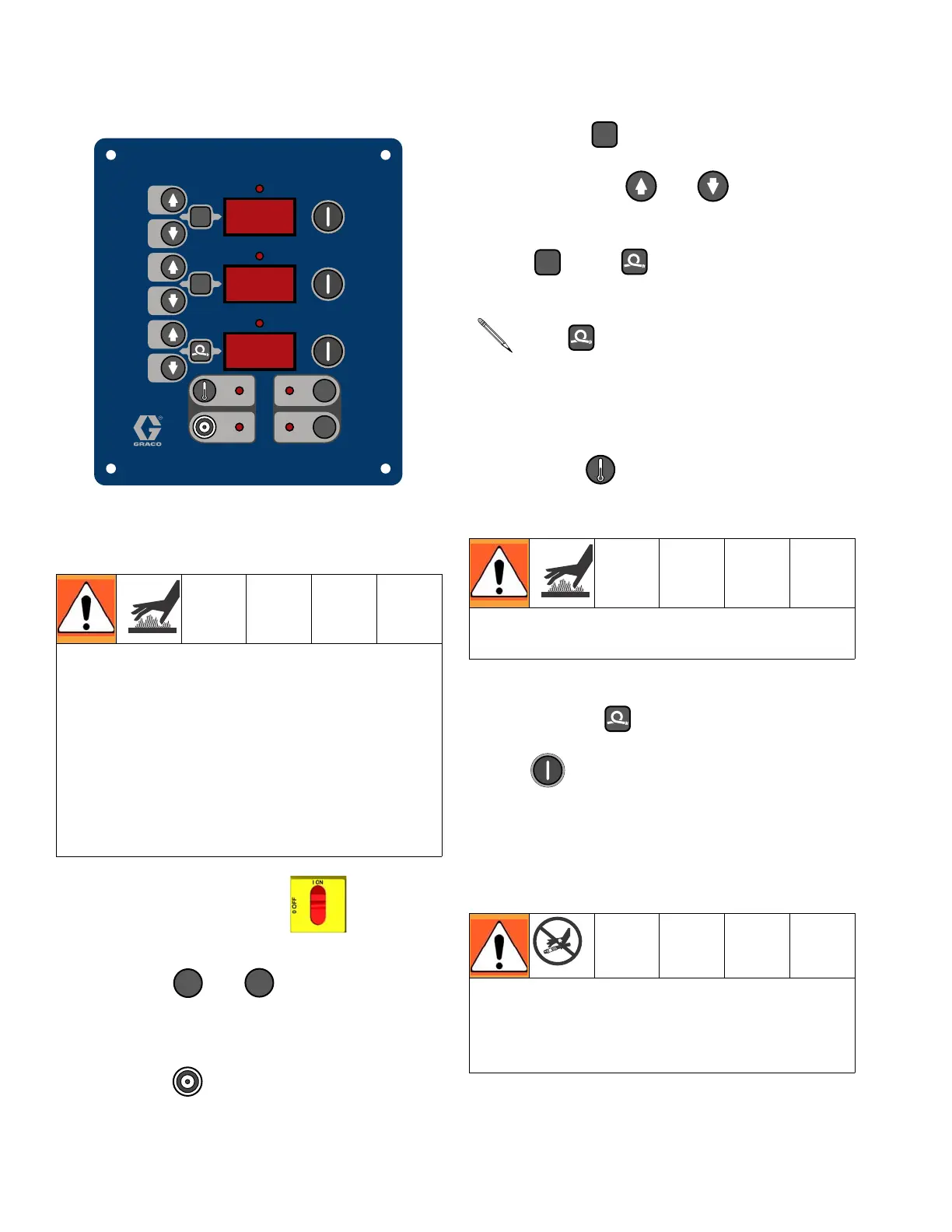
2. Set temperatures
a. Turn main power ON .
b. Press or to change temper-
ature scale.
c. Press .
d. To set heat zone target tempera-
ture, press or until display
shows desired temperature. Repeat for
and zones.
e. Press to display actual tempera-
tures.
f. Turn on heat zone by pressing
. Preheat hose (15-60 min). Indi-
cator will flash very slowly when fluid
reaches target temperature. Display
shows actual fluid temperature in hose
near FTS.
This equipment is used with heated fluid,
which can cause equipment surfaces to
become very hot. To avoid severe burns:
• Do not touch hot fluid or equipment.
• Allow equipment to cool completely
before touching it.
• Wear gloves if fluid temperature exceeds
110°F (43°C).
°
F
°
C
A
B
Temperature Controls and Indicators, see
page 16
°
F
°
C
For zone only, if FTS is discon-
nected at startup, display will show hose
current (0A). See step j, page 29.
Do not turn on hose heat without fluid in
hoses.
Thermal expansion can cause overpressur-
ization, resulting in equipment rupture and
serious injury, including fluid injection. Do not
pressurize system when preheating hose.
A
B




 To Next Page