System Operation
86 312779E
Select a Component B Restrictor Size
Install the 15U955 Injection Kit in the fluid manifold as
explained in the ProMix 2KS Installation manual. Use
the charts provided in that manual to select an appropri-
ate restrictor size based on the desired flow and mix
ratio.
Turn On Dynamic Dosing
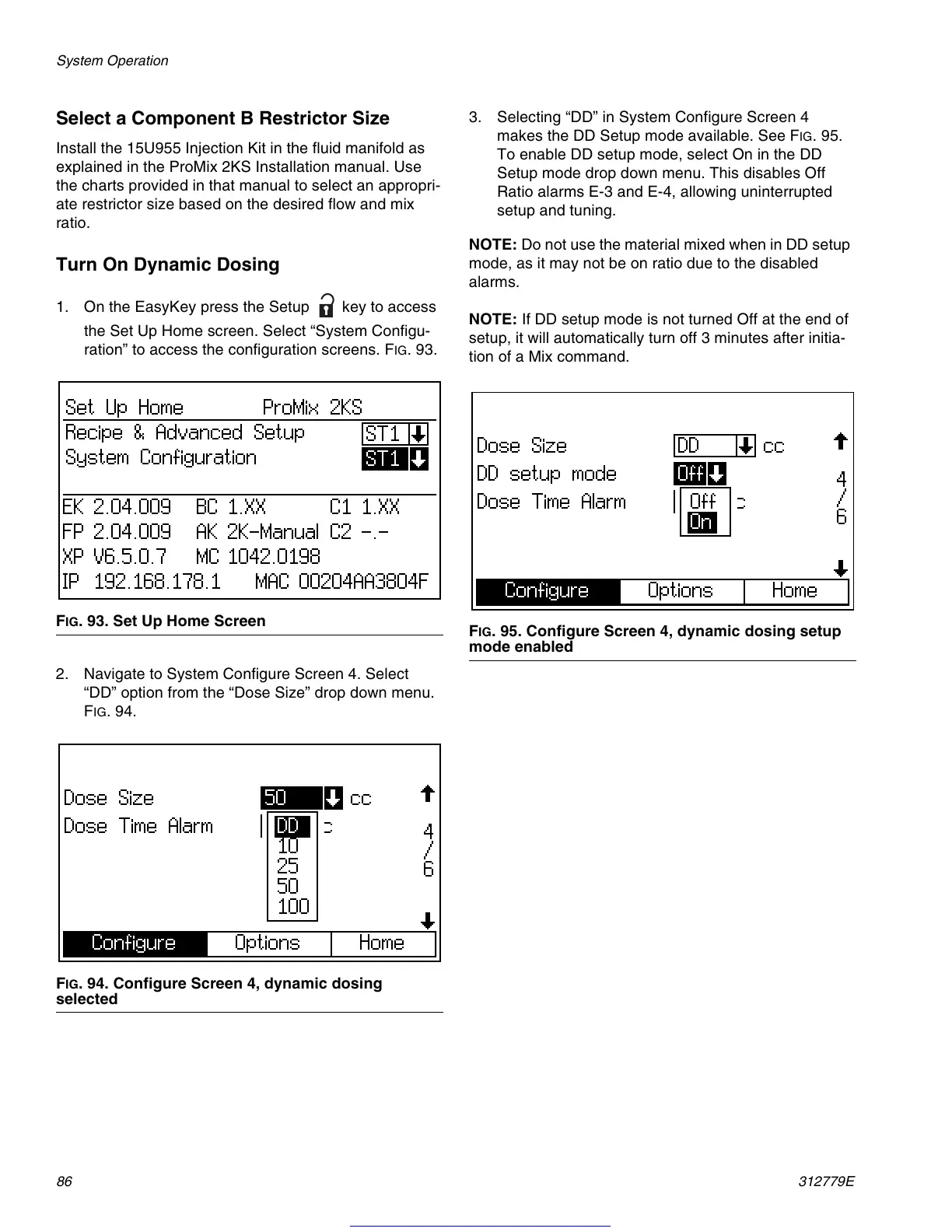
1. On the EasyKey press the Setup
key to access
the Set Up Home screen. Select “System Configu-
ration” to access the configuration screens. F
IG
. 93.
2. Navigate to System Configure Screen 4. Select
“DD” option from the “Dose Size” drop down menu.
F
IG
. 94.
3. Selecting “DD” in System Configure Screen 4
makes the DD Setup mode available. See F
IG
. 95.
To enable DD setup mode, select On in the DD
Setup mode drop down menu. This disables Off
Ratio alarms E-3 and E-4, allowing uninterrupted
setup and tuning.
NOTE: Do not use the material mixed when in DD setup
mode, as it may not be on ratio due to the disabled
alarms.
NOTE: If DD setup mode is not turned Off at the end of
setup, it will automatically turn off 3 minutes after initia-
tion of a Mix command.
F
IG
. 93. Set Up Home Screen
F
IG
. 94. Configure Screen 4, dynamic dosing
selected
F
IG
. 95. Configure Screen 4, dynamic dosing setup
mode enabled
Get other manuals https://www.bkmanuals.com





 To Next Page